Dev Link-in-bio
A link-in-bio page for developers, with a card view for everyone and a terminal for the curious
Not on sale yet
This one is almost ready to buy. Leave your email and we will tell you the moment it is.
- Pay once, lifetime license
- Free updates for life
- Full source: HTML / CSS / JS + React
Live preview
About
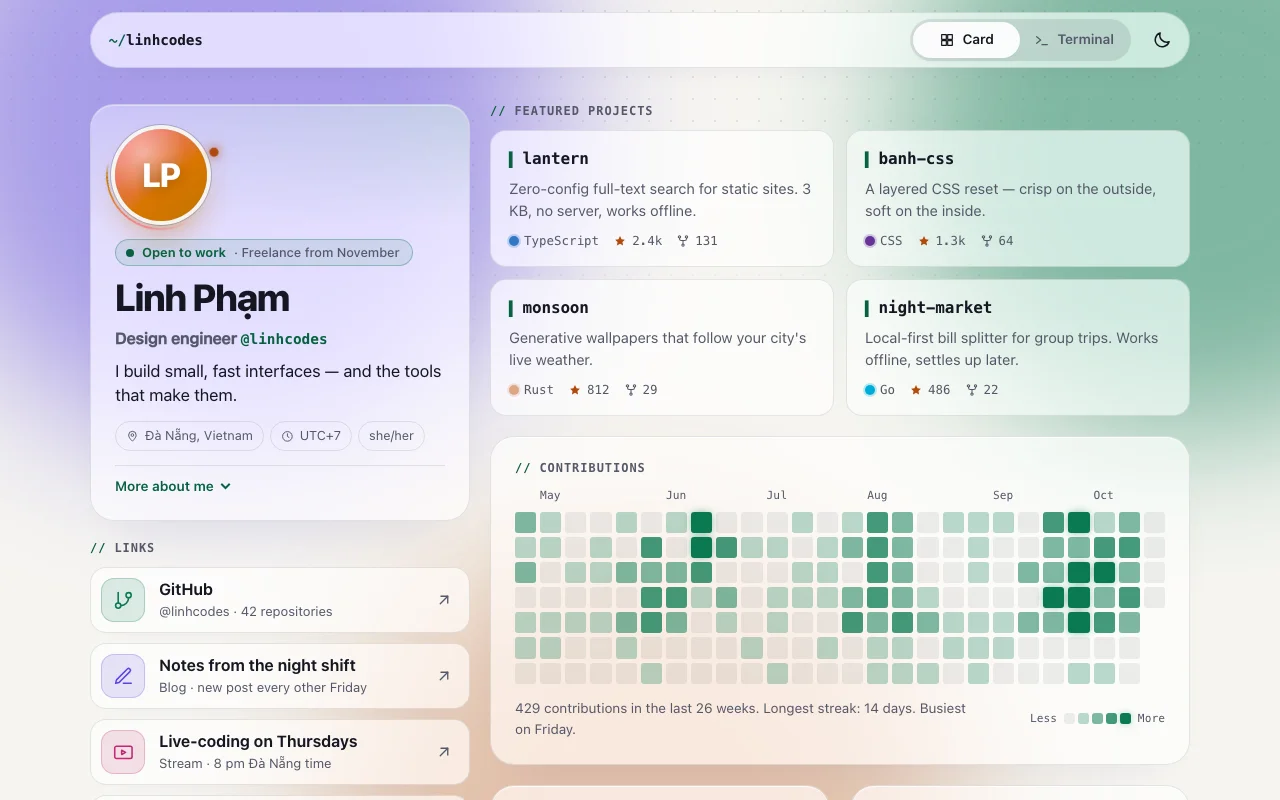
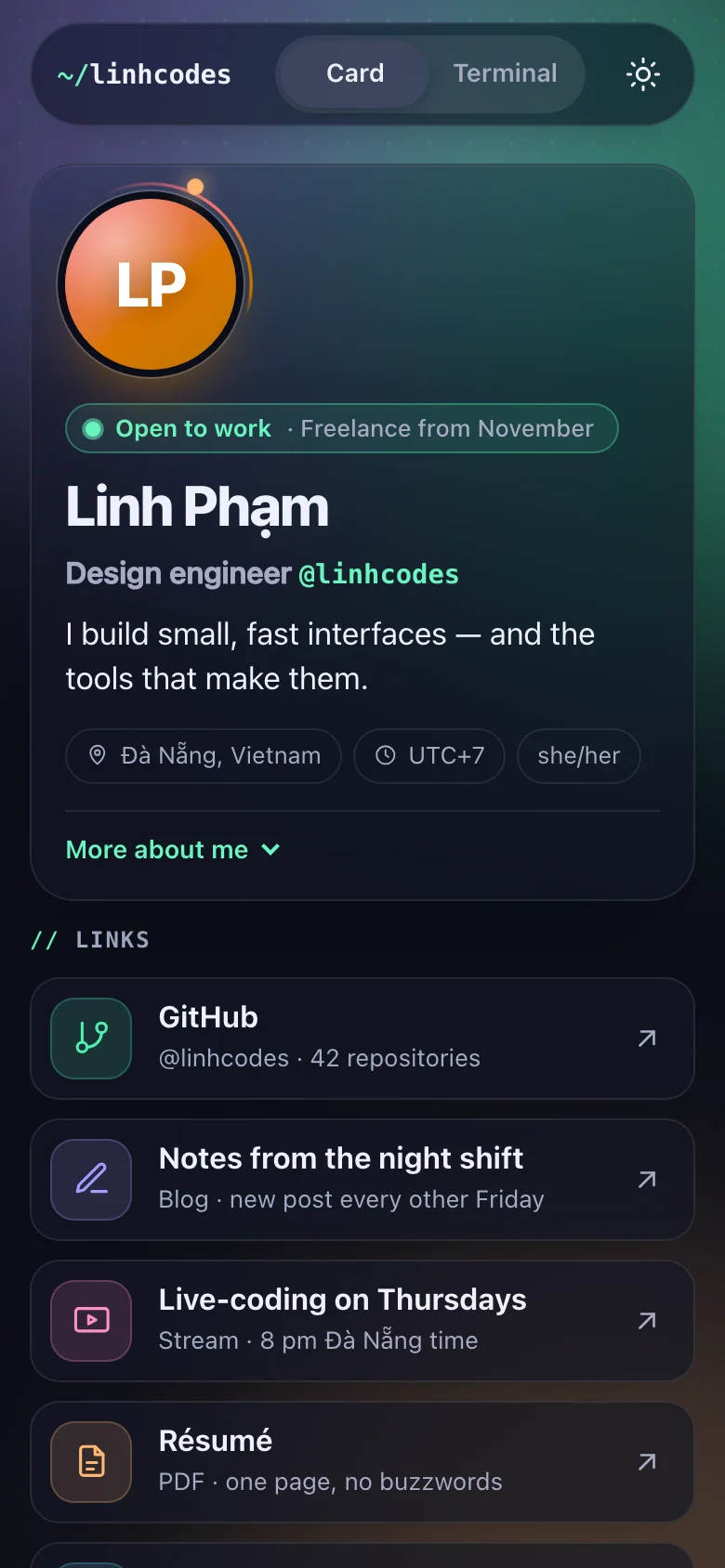
The page behind the link in your bio, made for people who write code. Most visitors get what they
came for straight away: a card view with your face (well, your initials on a gradient), your
status, your links and your best projects. The curious ones press a tab — or the backtick key — and
find a terminal that boots, types its welcome and answers help, projects, whoami… and one
command it would rather you didn't try.
- Glass link buttons with a sweep of light on hover, project cards lit by a spotlight that follows the cursor
- A contribution graph that looks like yours, with a tooltip for every day — generated from a seed, or fed your real numbers
- A "currently building" card with a striped progress bar, "now learning", and your stack as chips
- A terminal with history, Tab completion, "did you mean…?" for typos, and links you can click
- An aurora behind the glass that turns green when the terminal is open
Everything you would change lives in one typed file, content.ts: your name, links, projects,
the terminal's welcome and even its error messages. Both views and both builds read from it, so the
card and the terminal can never disagree. The HTML build is static files you can host anywhere;
the React build is a complete Vite + TypeScript project.
Features · 12
- Two views of one page: glass cards for everyone, and an interactive terminal for the curious — switch with the tabs, the backtick key, or a #terminal link
- Card view: generated gradient avatar, pulsing "open to work" status, glass link buttons with a light sheen, featured projects with stars, forks and language colours under a cursor spotlight
- A GitHub-style contribution graph with tooltips and a one-line summary — drawn from a seed, or from your real numbers
- "Currently building" with a progress bar, "now learning", your stack as chips, and a copy-email button
- Terminal: a typed boot sequence, help, whoami, about, projects, links, skills, contact, theme, clear and exit (plus one easter egg)
- ↑ / ↓ history, Tab completion, "did you mean…?" for typos, clickable links and commands in the output, one-tap commands for phones
- Every word, link and number in one typed content.ts — both views and both builds read from it
- Two builds: static HTML/CSS/JS, and a ready-to-run Vite + React + TypeScript project
- Light and dark themes: follows the system, remembers the visitor's choice (the terminal can switch it too)
- Made for phones first, where link-in-bio pages are opened; two columns on wide screens
- No images, no web fonts, no external requests; every colour, radius and timing is a CSS custom property
- Script and stylesheet together weigh about 20 KB gzipped, with no runtime dependencies besides React in the React build
How to use it
Everything on the page — name, status, links, projects, the graph, the stack, the terminal's words —
is in src/content.ts. Its types (src/core/model.ts) explain every field, and your editor flags
anything missing or misspelt.
- Links: one
{ label, hint, href, icon }per button. Icons:github,pen,play,file,calendar,mail,at,rss,globe(add your own as path data insrc/core/icons.ts). - Projects:
name,description,href,language(known languages get their usual colour),stars,forks. - Contribution graph:
activity: { weeks, seed }draws a believable graph ending today; change the seed for another one. For your real numbers, addcounts(one number per day, oldest first) anduntil: "YYYY-MM-DD"(the last day). - Avatar: your initials on a gradient made from your name — nothing to set.
- Status:
available: falseturns the green pulse into a calm grey dot. - Terminal:
bootlines are typed out on first view;banneris ASCII art shown above them (empty for none);quickpicks the one-tap commands under the screen.
The download is static files: index.html, dev-link-in-bio.css and dev-link-in-bio.js, which
draws the page from your content into <div data-dev-link-in-bio></div>. Edit src/content.ts,
then rebuild the script:
npm install      # once: installs esbuild, the only build tool
npm run build    # writes dev-link-in-bio.js
Also update the <title> and <meta> tags at the top of index.html by hand — they are what link
previews and search engines read. To wire markup you add yourself, call
DevLinkInBio.init(container); it returns a function that undoes it.
The download is a complete Vite + React 19 + TypeScript project:
npm install
npm run dev      # http://localhost:5173
npm run build # static files in dist/src/content.ts— the content, shared with the HTML build.src/app/sections/— one component per section;src/app/ui/— atoms and molecules they share.src/core/— the behaviour (tabs, terminal, graph, copy, theme…), the same code the HTML build runs, attached with theuseBehaviourhook.src/dev-link-in-bio.css— the one stylesheet both builds use.
App.tsx starts with "use client", so it also drops into a Next.js App Router page.
Each command is a small pure function in src/core/terminal/commands.ts that turns the content
into lines of text, links and clickable commands. To add one: add its name to CommandName in
src/core/model.ts, write the function and add it to COMMANDS (and LISTED_COMMANDS to show it
in help), and describe it in terminal.commands in content.ts.
#terminal at the end of the address opens the terminal first — handy for a "try the terminal" link.
Everything is a custom property on :root, at the top of dev-link-in-bio.css. Colours are written
as light-dark(light, dark), so one line covers both themes.
| Property | What it changes |
|---|---|
--dlb-bg, --dlb-text, --dlb-muted, --dlb-line, --dlb-line-strong |
Page, text and hairlines |
--dlb-glass, --dlb-glass-strong, --dlb-shadow |
The frosted cards and their shadow |
--dlb-accent, --dlb-accent-text, --dlb-on-accent |
Mint: status, graph, highlights |
--dlb-violet, --dlb-warm, --dlb-pink, --dlb-cyan |
The aurora and the link tiles |
--dlb-heat-0 … --dlb-heat-4 |
The graph, from a day off to the busiest day |
--dlb-term-bg, --dlb-term-bar, --dlb-term-text, --dlb-term-muted |
The terminal (dark in both themes) |
--dlb-term-ok, --dlb-term-accent, --dlb-term-warm, --dlb-term-error, --dlb-term-link |
Terminal output colours |
--dlb-focus, --dlb-danger, --dlb-aurora-strength |
Focus ring, errors, how much the aurora shows |
--dlb-font-body, --dlb-font-mono |
The two type roles |
--dlb-radius-lg, --dlb-radius, --dlb-radius-sm, --dlb-max, --dlb-gutter, --dlb-gap |
Shape and layout |
--dlb-ease, --dlb-pulse-duration, --dlb-aurora-duration, --dlb-sheen-duration |
Motion |
Theme: data-theme="light" or "dark" on <html> fixes the starting theme; without it the
visitor's system decides. The toggle (and the terminal's theme command) remembers a visitor's
choice in localStorage (dev-link-in-bio-theme).
Both builds are static files: upload the HTML folder, or the React project's dist/ after
npm run build, to Netlify, Vercel, Cloudflare Pages, GitHub Pages or any web host. Then put the
link in your bio.
Ask about this product
Not sure it fits your project? Ask — the answer comes from this page.
Changelog
1.0.0First releaseLatest
A developer's link-in-bio page in two builds (static HTML/CSS/JS and a Vite + React + TypeScript project) with a card view and an interactive terminal, both rendered from one typed content file.
- Fixes and new features land behind the same download, which always serves the latest version.
You might also like
- TemplatePortfolio
Halation — Studio Portfolio
A one-page portfolio for design and motion studios, with a headline that glows like light on film
9.000đ

- TemplatePortfolio
Halation — Studio Portfolio
A one-page portfolio for design and motion studios, with a headline that glows like light on film
$4.90