Swipe Card Stack
A Tinder-style card stack you drag, flick and throw — with stamps, undo and real physics
.zip · HTML / CSS / JS · v1.0.0
Free — no account, no email. Always the newest version.
Live preview
About
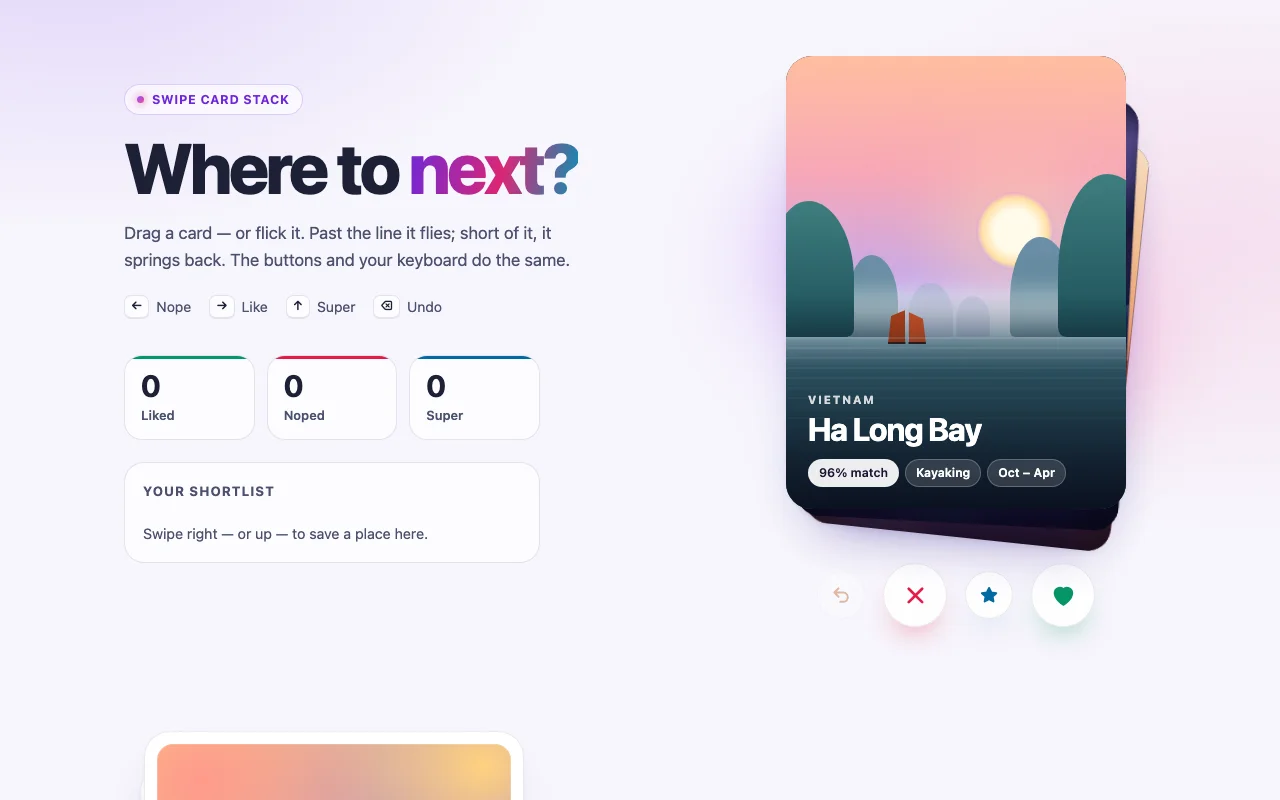
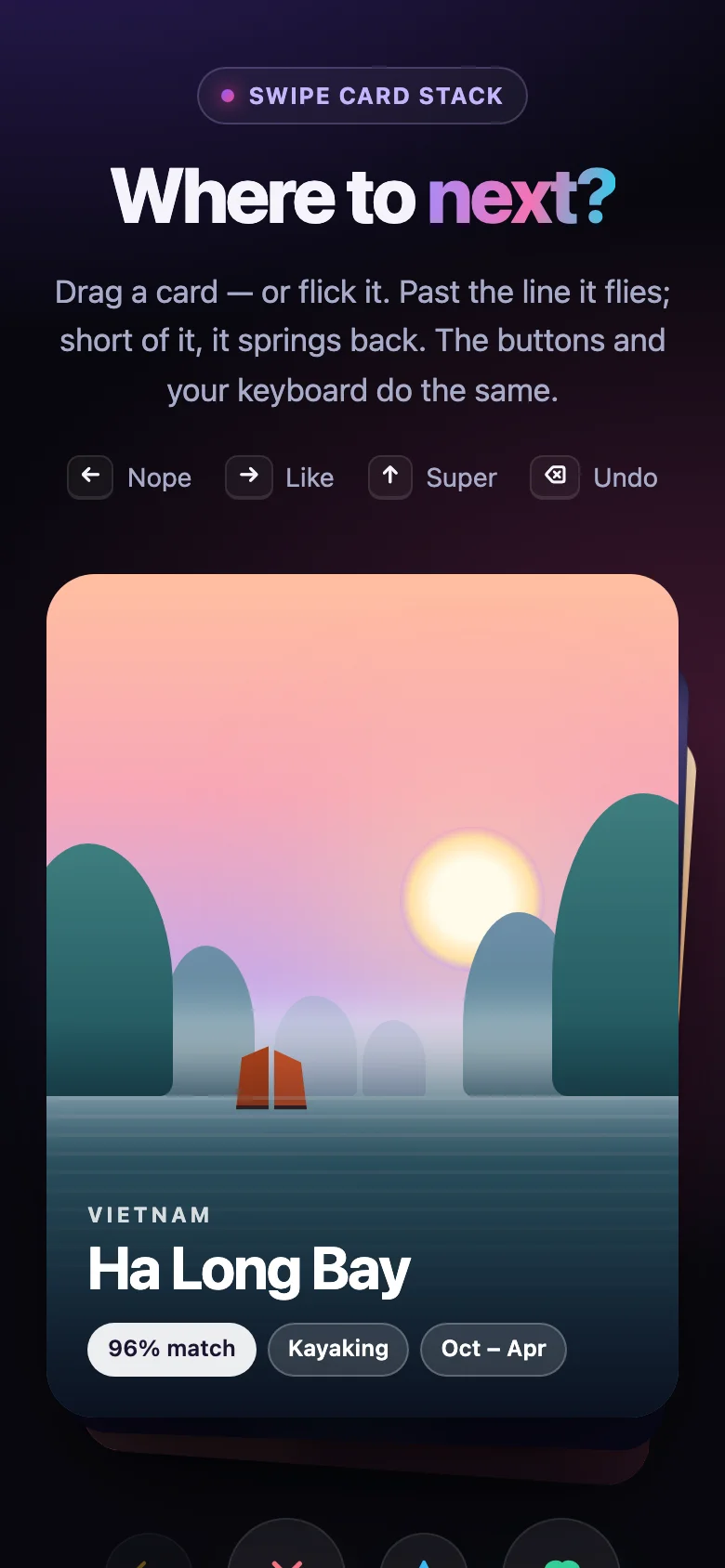
The swipe everyone already knows, made to feel physical. Grab the top card and it follows your finger, turning on its corner; a stamp fades in to say where it is heading. Let go past the line — or flick it — and it flies off screen at the speed you threw it. Let go too soon and it springs back with a little wobble. The cards behind wait in a fanned stack and rise as the top one leaves.
- Physics you can tune: how far, how fast, how much it turns, how long it flies
- Built for picking: destinations, products, candidates, flashcards, onboarding tips
- Buttons, arrow keys and your own code swipe with the same animation; undo brings a card back
- Loop mode for decks that never run out, and an empty state for the ones that do
- Every colour, size and timing is a CSS custom property; light and dark follow your page
- Nothing to install: one CSS file and one small script, or one React component
Features · 9
- Drag with mouse, touch or pen: the card follows, turns and springs back if you let go too soon
- Past the line or flicked fast enough, it flies off screen with the speed you gave it
- NOPE / LIKE / SUPER stamps fade in as you drag — the words are yours to change
- The cards behind wait with depth, and rise as the top one goes
- Buttons, arrow keys and code (swipe, undo, reset) use the same animation
- Undo brings the last card back, even mid-flight; loop mode and an empty-state slot
- swipe, undo and empty events with the direction, card and index
- Plain HTML/CSS/JS and React (Next.js ready, children or items + render prop, ref API)
- Zero dependencies, about 8 KB gzipped (script and styles together)
How to use it
Link the stylesheet and the script once, then mark the stack with data-swipe-stack. Cards are
.swipe-stack__cards inside a .swipe-stack__deck; buttons are any <button> with
data-swipe-stack-action:
<link rel="stylesheet" href="swipe-stack.css" />
<script src="swipe-stack.js" defer></script>

<section class="swipe-stack" data-swipe-stack data-swipe-stack-directions="left right up" aria-label="Destinations">
  <div class="swipe-stack__deck">
    <article class="swipe-stack__card" data-swipe-title="Kyoto">…</article>
    <article class="swipe-stack__card" data-swipe-title="Lisbon">…</article>
    <div class="swipe-stack__empty">That’s everything!</div>
  </div>
  <div class="swipe-stack__actions">
    <button class="swipe-stack__action" type="button" data-swipe-stack-action="undo" aria-label="Undo">…</button>
    <button class="swipe-stack__action" type="button" data-swipe-stack-action="left" aria-label="Nope">…</button>
    <button class="swipe-stack__action" type="button" data-swipe-stack-action="up" aria-label="Super like">…</button>
    <button class="swipe-stack__action" type="button" data-swipe-stack-action="right" aria-label="Like">…</button>
  </div>
</section>

<script>
  document.querySelector(".swipe-stack").addEventListener("swipe", (event) => {
    const { direction, index, card } = event.detail; // "left" | "right" | "up"
  });
</script>
Options as data attributes:
| Attribute | Default | What it does |
|---|---|---|
data-swipe-stack-directions |
"left right" |
Which ways a card may go; add up for a super like |
data-swipe-stack-loop |
off | Start again after the last card instead of showing the empty state |
data-swipe-stack-visible |
3 |
How many cards show at once, the top one included |
data-swipe-stack-threshold |
0.35 |
How far to drag (share of the card's width; of its height upward) |
data-swipe-stack-velocity |
0.45 |
How fast a flick sends it however short the drag (px per ms) |
data-swipe-stack-rotation |
14 |
Degrees the card turns when dragged one card width |
data-swipe-stack-duration |
420 |
The longest a card takes to fly out or come back (ms) |
data-swipe-stack-stamp-left, -right, -up |
NOPE, LIKE, SUPER |
The stamps' words |
The stack dispatches swipe, undo (both with { direction, index, card }) and empty on its
element. The announced name of a card is its data-swipe-title, else its aria-label, else its
first heading. Mark a control inside a card that must not start a drag (a slider, a map) with
data-swipe-stack-no-drag.
SwipeStack.get(element) returns the handle of a wired stack —
{ swipe(direction), undo(), reset(), refresh(), canUndo(), current(), destroy() }; call refresh()
after adding or removing cards. Stacks added after the page loads: SwipeStack.init(container)
returns a function that undoes it. To pass callbacks or translated words instead, build one by hand:
SwipeStack.create(element, { directions, loop, onSwipe, onUndo, onEmpty, texts }) (every word it
says is in core/texts.ts).
A card flying off the side passes the edge of the screen: give the page overflow-x: clip
(html, body { overflow-x: clip; }) so it does not widen it for a moment.
Copy SwipeStack.tsx, swipe-stack.css and the core folder into your project:
import { useRef } from "react";
import { SwipeStack } from "./SwipeStack";

export function Picker({ places }) {
  const stack = useRef(null);
  return (
    <>
      <SwipeStack
        ref={stack}
        aria-label="Destinations"
        items={places}
        itemKey={(place) => place.id}
        itemTitle={(place) => place.name}
        renderItem={(place) => <PlaceCard place={place} />}
        directions={["left", "right", "up"]}
        onSwipe={({ direction, item }) => save(item, direction)}
        empty={<p>That’s everything!</p>}
      />
      <button type="button" onClick={() => stack.current?.undo()}>Undo</button>
    </>
  );
}
Or pass the cards as children: <SwipeStack>{cards}</SwipeStack>, one card per child. The ref
gives { swipe(direction), undo(), reset() }. Every option above is a prop (directions, loop,
visible, threshold, velocity, rotation, duration, texts), plus onSwipe, onUndo and
onEmpty (onSwipe also gets the item), actions={false} to leave out the built-in buttons, and
any <section> prop (className, aria-*…). React 18 or 19.
The component starts with "use client", so use it from any page or server component. With the
App Router nothing else is needed. With the Pages Router, move the CSS import into pages/_app.
Set these on .swipe-stack (or a class of your own):
| Property | What it changes |
|---|---|
--swipe-stack-width, --swipe-stack-ratio, --swipe-stack-radius |
Card size, shape and corners |
--swipe-stack-surface, --swipe-stack-border, --swipe-stack-shadow, --swipe-stack-text |
The card itself |
--swipe-stack-left, --swipe-stack-right, --swipe-stack-up, --swipe-stack-undo |
Stamp and button colours, per direction |
--swipe-stack-stamp-surface |
Behind the stamps' words |
--swipe-stack-offset, --swipe-stack-scale, --swipe-stack-fan |
How the cards behind step down, shrink and fan out |
--swipe-stack-settle, --swipe-stack-ease |
How the cards behind move up |
--swipe-stack-button-size, --swipe-stack-button-small, --swipe-stack-button-surface |
The action buttons |
--swipe-stack-ring, --swipe-stack-gap |
Focus ring, and the space between deck and buttons |
Colours use light-dark(): they follow color-scheme on your page. With prefers-reduced-motion,
a swiped card fades out where it is instead of flying, a dragged card does not turn, and the cards
behind step up without gliding.
Ask about this product
Not sure it fits your project? Ask — the answer comes from this page.
Changelog
1.0.0First releaseLatest
Plain HTML/CSS/JS and React builds. Drag or flick cards with mouse, touch or pen, stamps, buttons, keyboard, undo, loop mode, announcements and reduced-motion support.
- Fixes and new features land behind the same download, which always serves the latest version.
You might also like
- ComponentCard
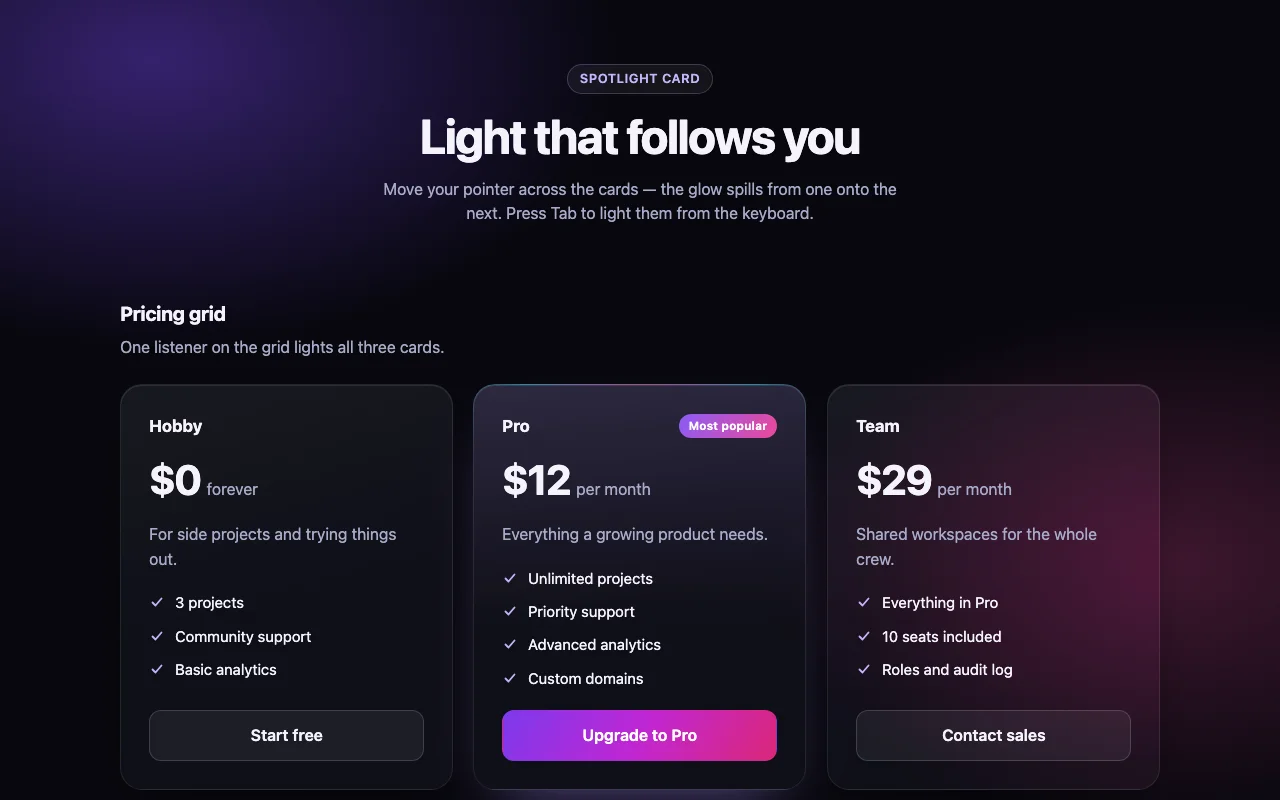
Spotlight Card
Frosted-glass cards lit by a soft light that follows the pointer — and spills across the grid
Free