Animated Tabs
Tabs with a glass pill that stretches from tab to tab, and panels that slide the same way
.zip · HTML / CSS / JS · v1.0.0
Free — no account, no email. Always the newest version.
Live preview
About
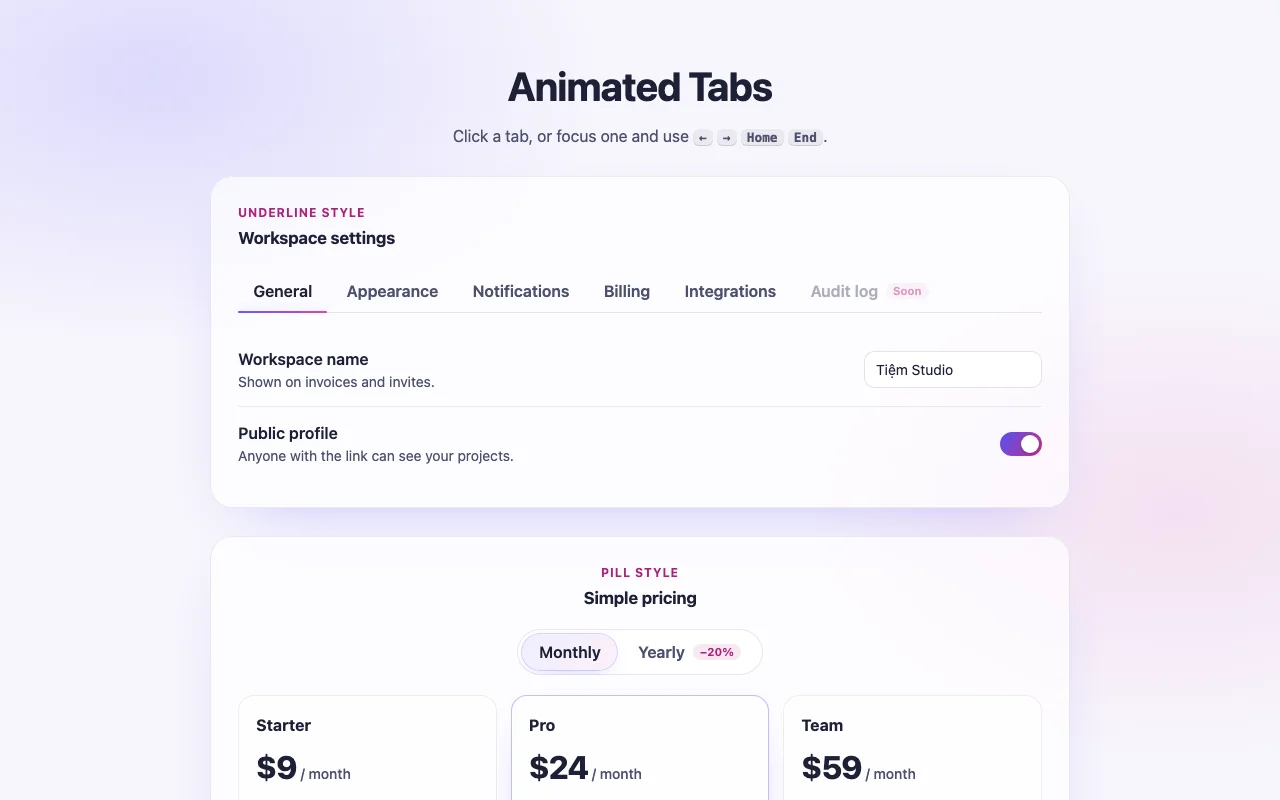
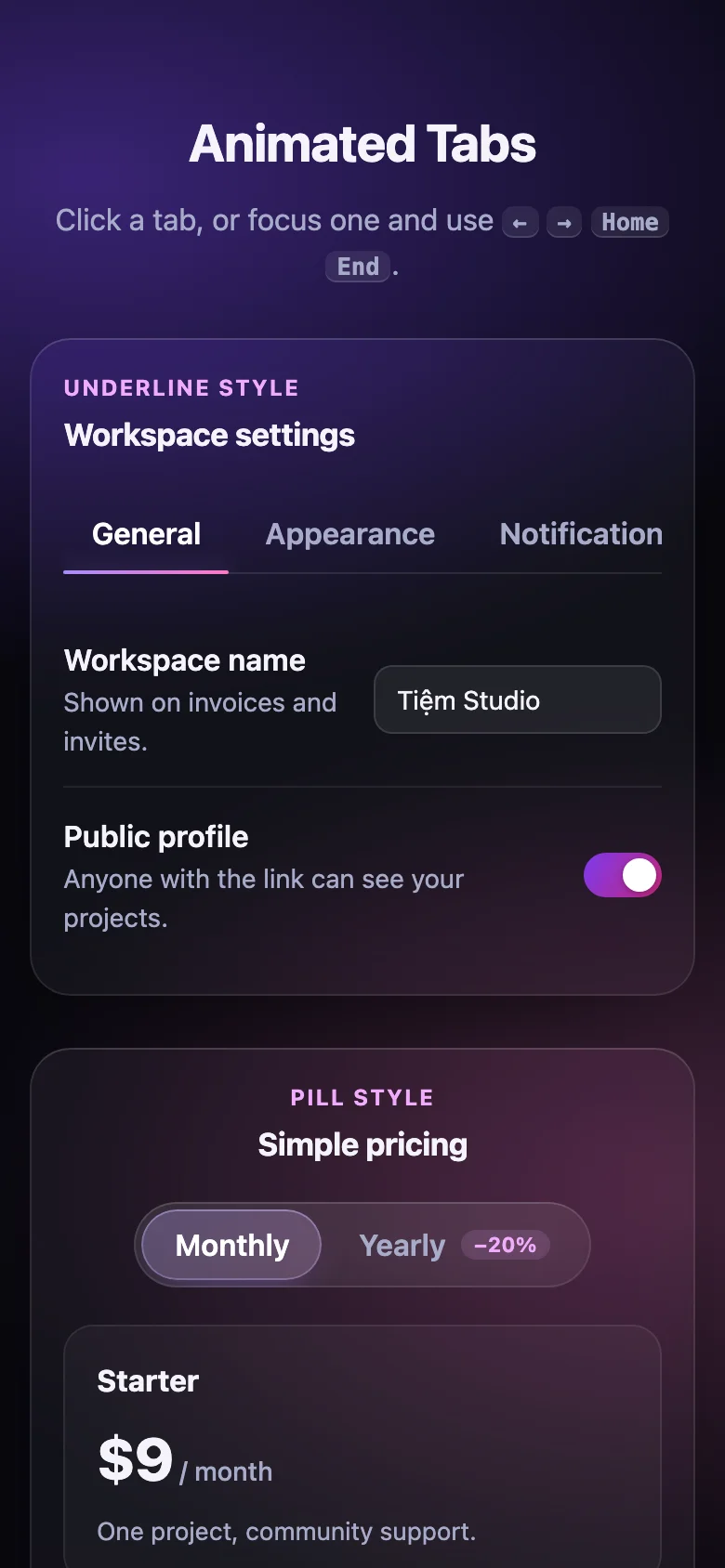
Tabs that show where you are going. Pick a tab and a frosted-glass pill stretches across to it — the leading edge first, the trailing edge close behind — then settles on its new tab. The panels move with it: the new one slides in from the side the pill travelled to while the old one fades out.
- Two styles: a glass pill behind the label, or a thin gradient underline
- Horizontal or vertical; a long tab bar scrolls sideways on small screens and keeps the selected tab in view
- Follows the layout: the indicator re-measures when the page resizes or web fonts finish loading
- Every colour, radius and timing is a CSS custom property; the script only writes positions
- Nothing to install: one CSS file and one small script, or one React component
Features
- An indicator that stretches across both tabs, then settles on the new one
- Panels cross-fade and slide in the direction of travel
- Pill and underline styles, horizontal or vertical, light and dark
- A long tab bar scrolls sideways and keeps the selected tab in view
- Plain HTML/CSS/JS and React (Next.js ready) builds
- Zero dependencies, about 5 KB gzipped
How to use it
Link the stylesheet and the script once, then mark each set of tabs with data-tabs:
<link rel="stylesheet" href="animated-tabs.css" />
<script src="animated-tabs.js" defer></script>

<div class="animated-tabs" data-tabs>
  <div class="animated-tabs__list" role="tablist" aria-label="Settings">
    <button class="animated-tabs__tab" role="tab" type="button" aria-selected="true">General</button>
    <button class="animated-tabs__tab" role="tab" type="button">Billing</button>
  </div>
  <div class="animated-tabs__panel" role="tabpanel">…</div>
  <div class="animated-tabs__panel" role="tabpanel" hidden>…</div>
</div>
Tabs pair with panels in order (or by aria-controls); the script fills in ids and the remaining
ARIA attributes. Keep the panels direct children of .animated-tabs and mark all but the first
hidden, so the page is right before the script runs. A tab with disabled is skipped.
Options as data attributes on the root: data-variant="underline" (default: the pill),
data-orientation="vertical", data-activation="manual" (arrows move focus, Enter / Space select).
Every change fires a bubbling tabchange event, from the user or from a script:
document.querySelector("#settings").addEventListener("tabchange", (event) => {
  console.log(event.detail.value, event.detail.previousValue); // also .index, .previousIndex
});

AnimatedTabs.get(element).select("billing"); // by data-value (else id), or by index
Tabs added after the page loads: AnimatedTabs.init(container) — it returns a function that undoes
it. AnimatedTabs.createTabs(element, { activation, orientation }) sets up one element directly.
Copy Tabs.tsx, animated-tabs.css and the core folder into your project:
import { Tab, TabList, TabPanel, Tabs } from "./Tabs";

<Tabs defaultValue="general" onChange={(value) => console.log(value)}>
  <TabList aria-label="Settings">
    <Tab value="general">General</Tab>
    <Tab value="billing">Billing</Tab>
  </TabList>
  <TabPanel value="general">…</TabPanel>
  <TabPanel value="billing">…</TabPanel>
</Tabs>
defaultValue for uncontrolled tabs, or value + onChange to hold the selection yourself.
variant ("pill" | "underline"), orientation ("horizontal" | "vertical") and activation
("automatic" | "manual") go on <Tabs>. Keep <TabList> and the panels direct children of
<Tabs>. Every <div> / <button> prop works (className, disabled, aria-*…). Hidden panels
stay mounted, so their state survives. React 18 or 19.
The component starts with "use client", so use it from any page or server component. With the
App Router nothing else is needed. With the Pages Router, move the CSS import into pages/_app.
Set these on .animated-tabs (or a class of your own):
| Property | What it changes |
|---|---|
--tabs-text, --tabs-text-hover, --tabs-text-active |
Label colours |
--tabs-surface, --tabs-border |
The glass track behind the tabs |
--tabs-pill, --tabs-pill-tint-from, --tabs-pill-tint-to, --tabs-pill-border, --tabs-glow |
The pill: fill, tint, edge, glow |
--tabs-accent-from, --tabs-accent-to, --tabs-line |
The underline: gradient and thickness |
--tabs-ring |
Focus ring |
--tabs-radius, --tabs-padding, --tabs-gap |
Shape, tab size, space between tabs and panel |
--tabs-lead, --tabs-trail, --tabs-lag, --tabs-ease-lead, --tabs-ease-trail |
The stretch: how fast the front and back edges move, how long the back edge waits |
--tabs-panel-duration, --tabs-panel-shift |
How long panels take to swap and how far they slide |
Colours use light-dark(): they follow color-scheme on your page. The panel cross-fade needs
Chrome 117, Safari 17.4 or Firefox 129; older browsers swap panels instantly.
Ask about this product
Not sure it fits your project? Ask — the answer comes from this page.
Changelog
1.0.0First releaseLatest
Plain HTML/CSS/JS and React builds. Pill and underline styles, horizontal and vertical lists, automatic and manual activation, full keyboard and reduced-motion support.
- Fixes and new features land behind the same download, which always serves the latest version.
You might also like
- ComponentNavigation
Magnify Dock
A frosted-glass dock whose icons swell under the pointer while their neighbours glide aside
Free