NebulaeConference Site
A complete conference site: a living constellation, a tilting name badge, a schedule that knows what is on now, and tickets that add up as you click
Not on sale yet
This one is almost ready to buy. Leave your email and we will tell you the moment it is.
- Pay once, lifetime license
- Free updates for life
- Full source: HTML / CSS / JS + React
Live preview
About
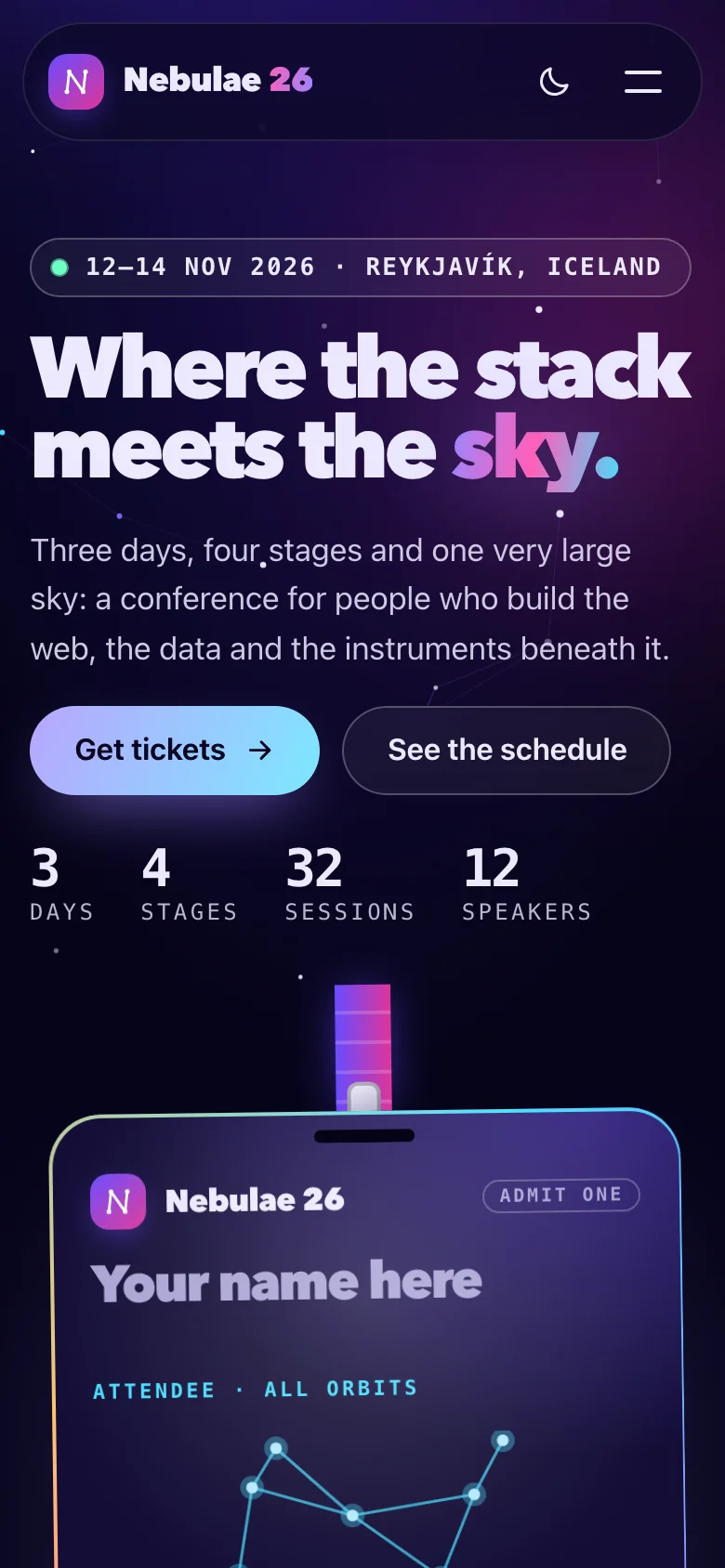
A conference site for people who would rather feel the room before they arrive. Nebulae is a fictional three-day developer conference in Reykjavík, and the page is built around one idea: the sky is part of the programme. The hero is a living constellation, and the badge hanging in it prints whatever name you type.
- A canvas sky of drifting stars, with links that follow your pointer and a pulse of light travelling along the Nebulae constellation
- A name badge that tilts toward the cursor, sways on its lanyard and carries a countdown to the doors, a seat and a barcode that come from your name
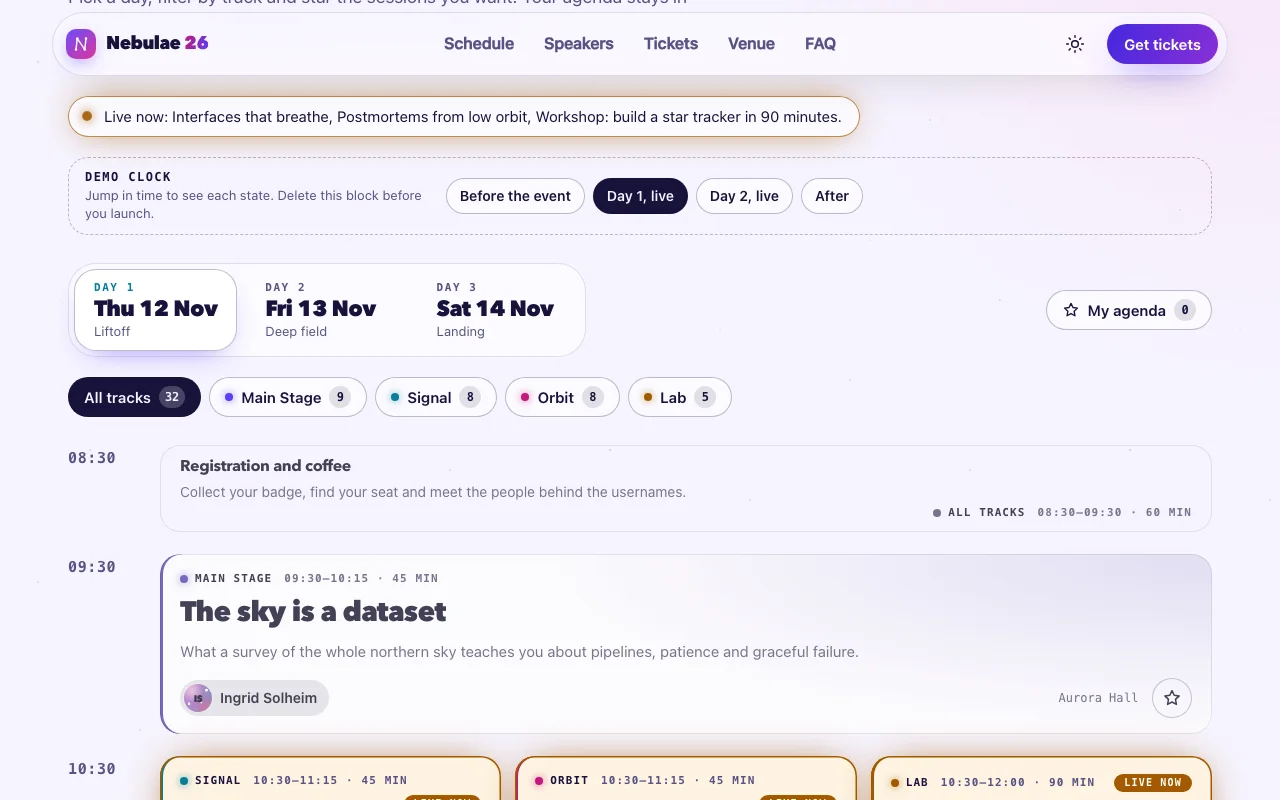
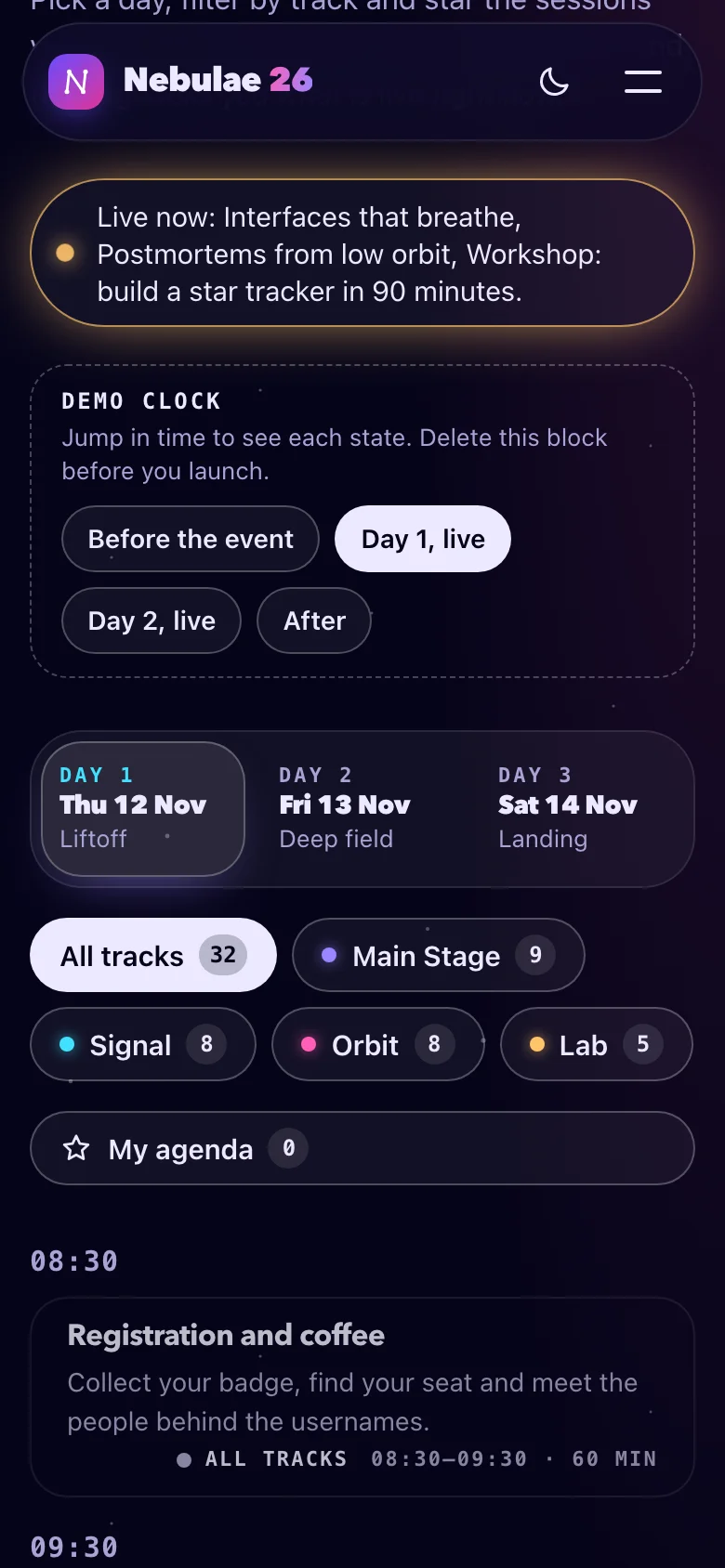
- A schedule that knows what time it is: sessions are marked live now and up next, the right day opens by itself, and a banner says what is on
- Star the sessions you want; "My agenda" keeps them in the browser and shows only those
- Twelve speakers with generated portraits and a detail dialog that links each talk back to its slot, and the other way round
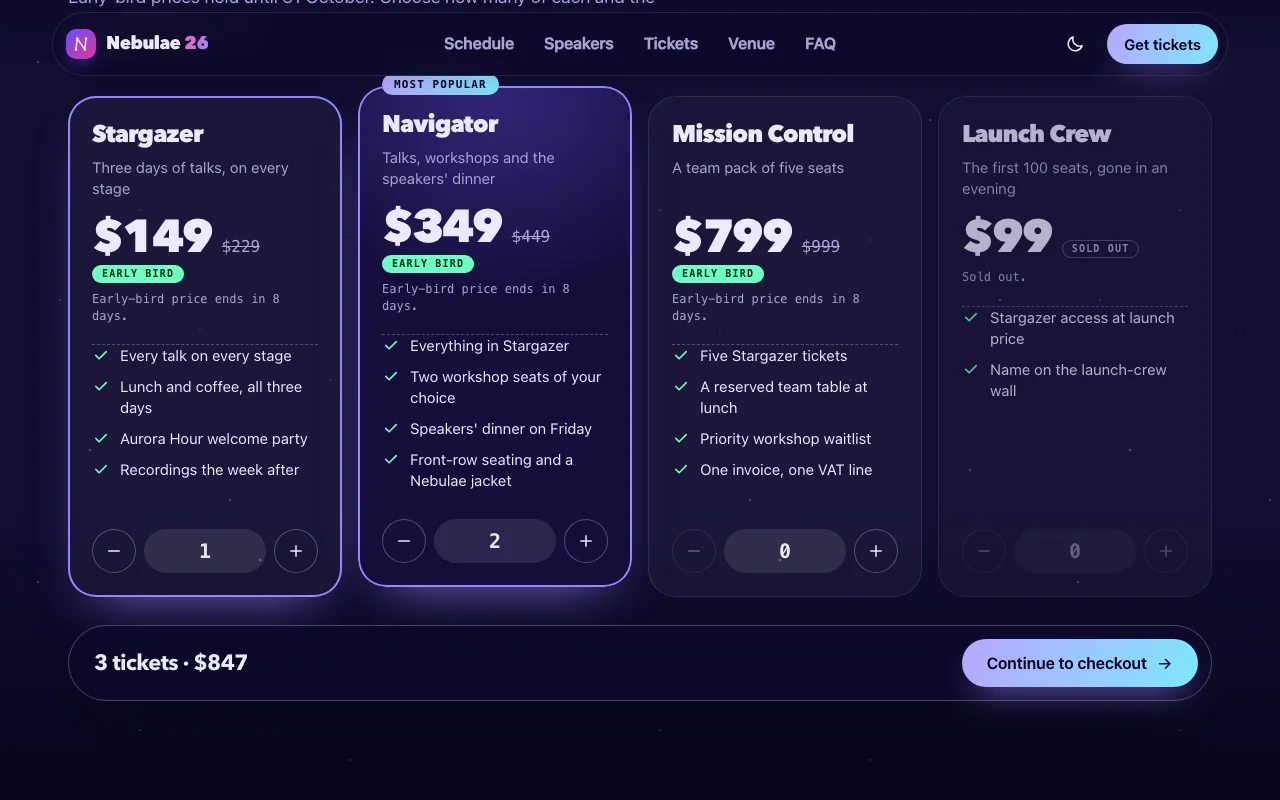
- Four ticket tiers with steppers, a live total and early-bird prices that end on their own
- A demo clock that jumps before, during and after the event, so you see every state before you ship
- Real, believable copy for a fictional conference, ready to replace with yours
Two builds are included. The HTML version is one page you can open and edit in any text editor and host anywhere. The React version is a complete Vite + TypeScript project: every word, time, name and price lives in one content.ts file, and npm install && npm run dev starts it.
Features · 15
- One complete site: header, constellation hero, three-day schedule, speaker grid, ticket tiers, venue, sponsors, FAQ, footer
- Two builds: static HTML/CSS/JS you edit in place, and a ready-to-run Vite + React + TypeScript project
- Hero sky drawn on a canvas: drifting stars, links that follow the pointer and a pulse of light along the Nebulae constellation; it pauses off-screen and paints one still frame with reduced motion
- A name badge that tilts toward the pointer and prints the visitor's own name, with a seat and barcode generated from it, above a countdown to the doors
- Schedule with day tabs, track filter and a live banner; sessions are marked live and up next from a clock you can inject, so every state is testable
- My agenda: star sessions, view only what you saved; it is remembered in localStorage and falls back to memory where storage is blocked
- Twelve speakers with generated portraits and a detail dialog; every talk links back to its place in the schedule, and every name in the schedule opens the speaker
- Ticket tiers with quantity steppers, a live total, early-bird pricing that ends by itself, a sold-out tier and a checkout link that carries the order
- Demo clock: jump to before the event, mid-conference or after to see every state, then delete one block to run on real time
- All copy, times, speakers, tickets, sponsors and FAQ live in one typed content.ts; the schedule's exact moments come from venue times and one UTC offset
- Light and dark themes: follows the system, remembers the visitor's choice; every colour, font, radius and timing is a CSS custom property
- Original fictional brand, generated portraits and SVG marks: no images to license, no web fonts, no external requests
- Responsive from 320 px phones to wide desktops
- Script and stylesheet together weigh about 20 KB gzipped
- No runtime dependencies besides React in the React build
How to use it
Open index.html in a text editor: every word on the page is written there, so it is what search engines read. It links two files that sit next to it:
<link rel="stylesheet" href="nebula-conf.css" />
<script src="nebula-conf.js" defer></script>- Sessions: copy one
<li class="nc-session" data-session …>per session. The script readsid,data-track(main,signal,orbit,lab, orallfor breaks and socials),data-kind(keynote,talk,workshop,break,social),data-title,data-time(what the banner says), anddata-start/data-endas ISO moments with an offset, such as2026-11-12T09:30:00+00:00. Put the session inside the slot (data-slot) of its start time and the panel (data-day-panel) of its day. - Speakers: each card is a button with
data-speaker-open="id"and a hiddendata-speaker-detail="id"block that the dialog copies. A name anywhere on the page opens the same dialog if its button has the samedata-speaker-open. - Talks in the dialog link to the schedule with
data-session-link="session-id". - Tickets: a tier is
<li data-tier="id" data-price="22900" data-early-price="14900" data-early-until="2026-10-31T23:59:00+00:00" data-max="10">. Prices are in cents; the currency isdata-currencyondata-tickets. Adddata-sold-outto lock a tier. The checkout button is a plain link; the order is added as?tickets=stargazer:2,navigator:1. - Words the script writes (the banner, the status messages, the badges) are templates in
data-text-*attributes, such asdata-text-live="Live now: {titles}.". Change them in the HTML; the script only fills in{count},{titles},{time},{when},{shown}and{total}.
The script wires everything by data attribute once the page has loaded. For markup you add later, call NebulaConf.init(container); it returns a function that undoes it. The readable source is in src/ (src/core/ holds one small module per behaviour) if you want to rebuild it.
Everything that depends on the time — live and up next, the banner, the countdown, the early-bird price — asks a clock, never Date.now() directly. In the demo, <main data-clock-start="2026-10-24T09:00:00+00:00"> runs the page from a moment in October, and the Demo clock block in the schedule jumps around it.
Before you launch, remove both: delete data-clock-start from <main> and the <div data-clock-controls> block. The page then runs on each visitor's own time. In React, set DEMO_CLOCK to null in content.ts and both disappear. To run on a clock of your own in code, pass one to a behaviour: createSchedule(element, { clock }) with clock from createClock({ start, speed }).
Session times are the venue's wall clock plus one offset (EVENT.utcOffset in React; the offset in each data-start in HTML), so "live now" is right wherever the visitor is.
The download is a complete Vite + React 19 + TypeScript project:
npm install
npm run dev      # http://localhost:5173
npm run build # static files in dist/src/app/content.ts— every word, session, speaker, tier, sponsor and question. Edit here and the page follows. Session times are written as venue times ("09:30").src/app/sections/— one component per section;src/app/ui/— the smaller pieces they share;src/app/lib/— what is worked out from the content (time slots, exact moments, the hero numbers).src/core/— the behaviour (theme, menu, tabs, schedule, agenda, tickets, modal, starfield, badge, countdown, clock…), the same code the HTML build runs, attached with theuseBehaviourhook.src/nebula-conf.css— the one stylesheet both builds use.
Starred sessions are saved in localStorage under nebula-conf-agenda as a list of session ids; ids the page no longer has are dropped. Where the browser refuses storage (private windows, sandboxed iframes) the agenda still works until the page is closed. A change in one tab shows up in the others.
Everything is a custom property on :root, at the top of nebula-conf.css. Colours are written as light-dark(light, dark), so one line covers both themes.
| Property | What it changes |
|---|---|
--nc-bg, --nc-bg-raised, --nc-text, --nc-muted, --nc-line |
Page, card and text colours, hairlines |
--nc-violet, --nc-magenta, --nc-cyan, --nc-mint, --nc-amber |
The five aurora lights: accents, states, tracks |
--nc-track-main, --nc-track-signal, --nc-track-orbit, --nc-track-lab |
One colour per track; add a track by adding [data-track="…"] { --track: … } |
--nc-star, --nc-link, --nc-glow |
What the hero canvas draws: stars, links, constellation glow |
--nc-cta-a, --nc-cta-b, --nc-on-cta, --nc-focus, --nc-live |
Main button gradient and text, focus ring, the live state |
--nc-glow-strength |
How strongly the background glows show (set per theme) |
--nc-font-display, --nc-font-body, --nc-font-mono, --nc-display-weight |
The type roles |
--nc-radius-lg, --nc-radius, --nc-radius-sm, --nc-max, --nc-gutter |
Shape and layout |
--nc-ease, --nc-reveal-duration |
Motion |
Fonts: the page uses system fonts only, so it loads nothing. To use your own, add an @font-face (or a font service's stylesheet) and set, for example, --nc-font-display: "Your Display", sans-serif;.
Theme: data-theme="light" or "dark" on <html> fixes the starting theme; without it the visitor's system decides. The toggle remembers a visitor's choice in localStorage (nebula-conf-theme).
Both builds are static files: upload the HTML folder, or the React project's dist/ after npm run build, to Netlify, Vercel, Cloudflare Pages, GitHub Pages or any web host. Point the checkout button at your ticketing service; the site itself sells nothing.
Ask about this product
Not sure it fits your project? Ask — the answer comes from this page.
Changelog
1.0.0First releaseLatest
A complete conference site in two builds: static HTML/CSS/JS and a Vite + React + TypeScript project. Living constellation hero with a tilting name badge and countdown, three-day schedule with tracks, live and next marks and a saved agenda, speaker grid with an accessible detail dialog, ticket tiers with a live total and early-bird pricing, venue, sponsors, FAQ, light and dark themes.
- Fixes and new features land behind the same download, which always serves the latest version.