TidelockLaunch Waitlist
A coming-soon page with orbiting planets, a split-flap countdown and a waitlist that hands every signup a referral link
Not on sale yet
This one is almost ready to buy. Leave your email and we will tell you the moment it is.
- Pay once, lifetime license
- Free updates for life
- Full source: HTML / CSS / JS + React
Live preview
About
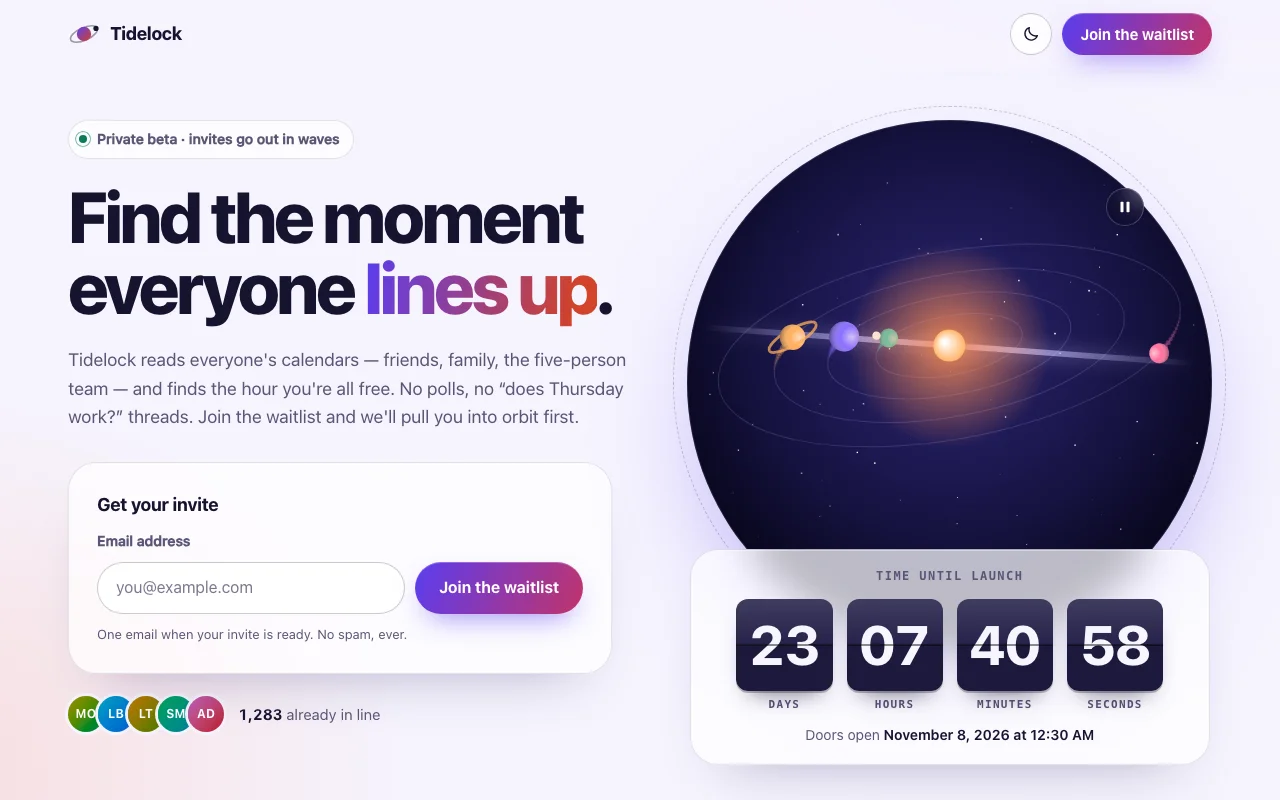
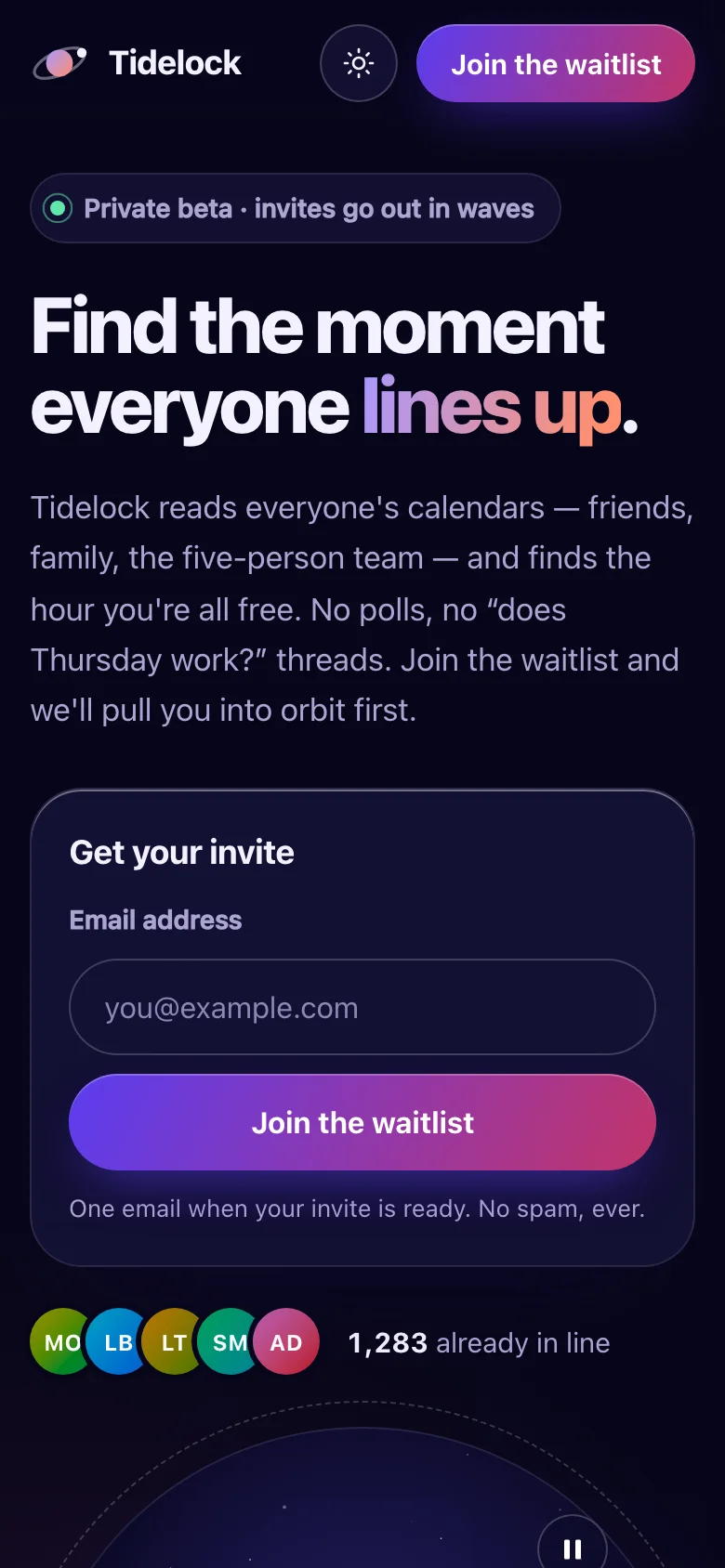
A launch page for a product that is almost here. Tidelock is a fictional calendar app that finds the hour everyone is free, so the page is built around one idea: things lining up. In the hero, four planets circle a small sun inside a night-sky porthole, and every eighteen seconds they fall into a single line and a beam of light runs through them. Below it, a split-flap board counts down to the launch, card by card.
- A waitlist that feels like a reward: "You're #1,284 in line" ticks up, confetti bursts, and the visitor gets a personal invite link to copy or share
- "Move up 3 spots for every friend who joins" — referral codes travel with the link and come back with the signup
- Four sneak-peek cards whose generated artwork stays blurred and stamped Classified until you hover, focus or tap
- Live social proof: generated avatars, a big count that goes up when someone joins, and three short quotes
- An FAQ that works without JavaScript, and a closing call to action
- Real, believable copy for a fictional product, ready to replace with yours
Signups go wherever you point them: Formspree, Supabase, or your own API, with one setting. Until then, a demo adapter keeps them in the browser so the whole flow works offline.
Two builds are included. The HTML version is one page you can open and edit in any text editor
and host anywhere. The React version is a complete Vite + TypeScript project: every word, date and
setting lives in one content.ts file, and npm install && npm run dev starts it.
Features · 11
- One complete page: header, hero with an orbiting canvas scene, flip countdown, waitlist card, sneak-peek feature cards, social proof with quotes, FAQ, closing call to action, footer
- Two builds: static HTML/CSS/JS you edit in place, and a ready-to-run Vite + React + TypeScript project with every word and setting in one content.ts
- A split-flap countdown to any date — or a relative "+23d 7h" for demos — that switches to a "We're live" block when the time comes
- Waitlist form with email checking and four clear states: idle, submitting, error and success
- Success shows the visitor's place in line ("You're #1,284 in line", counting up), a personal referral link with a copy button, share links for X, LinkedIn, WhatsApp and email, the browser's share sheet where there is one, and a confetti burst
- Pluggable backend: one endpoint attribute posts JSON to Formspree, a Supabase function or your own API; without it a demo adapter keeps signups in the browser with stable places in line
- Referral links work end to end: ?ref= codes are read on arrival and sent with the signup, and the demo moves the referrer up three places per friend
- "Already in line" counts update the moment someone joins; avatars are generated from names, so there are no photos to license
- Light and dark themes: follows the system, remembers the visitor's choice; the hero's night sky and every colour are CSS custom properties
- Script and stylesheet together weigh about 16 KB gzipped, with no web fonts and no external requests
- No runtime dependencies besides React in the React build
How to use it
Open index.html in a text editor: every word on the page is written there, so it is what search
engines read. It links two files that sit next to it:
<link rel="stylesheet" href="launch-waitlist.css" />
<script src="launch-waitlist.js" defer></script>- Launch date:
<div data-countdown data-launch="2027-03-21T09:00:00Z">. Write the time zone (Zor+07:00). The demo uses"+23d 7h 41m"— that long after the page loads — so it never runs out; replace it with your real date. Visitors see the date in their own time zone. When it passes, the board is replaced by thedata-countdown-liveblock ("We're live."). - Signups: the
data-waitlistcard. See Where signups go below. - Referral link:
data-share-urlis the address invite links point to (…?ref=k3x9a1), anddata-spotsthe number of places a friend is worth in the copy. - Sneak peeks: copy one
<li>per feature.data-artpicks the generated artwork (grid,rings,alerts,tides) — or put<img class="lw-art" src="…" alt="">in its place. - People in line: every
<span data-waitlist-count="1283">1,283</span>goes up when someone joins. Avatars are<li class="lw-avatar" style="--hue: 105; --hue-2: 160">MO</li>; any hues work.
The script wires everything by data attribute once the page has loaded. For markup you add later,
call LaunchWaitlist.init(container); it returns a function that undoes it. The readable source is
in src/ (src/core/ holds one small module per behaviour) if you want to rebuild it.
The download is a complete Vite + React 19 + TypeScript project (React 18 works too):
npm install
npm run dev      # http://localhost:5173
npm run build # static files in dist/src/app/content.ts— every word, the launch date (LAUNCH.at), the endpoint and the demo settings (WAITLIST). Edit here and the page follows.src/app/sections/— one component per section;src/app/ui/— the atoms, molecules and organisms they are built from.src/core/— the behaviour (countdown, orbit scene, waitlist, confetti…), the same code the HTML build runs, attached with theuseBehaviourhook.src/launch-waitlist.css— the one stylesheet both builds use.
App.tsx starts with "use client", so it drops into the App Router as it is. Copy src/app to,
say, components/launch, and put src/core and src/launch-waitlist.css beside it in
components/ (the imports are relative: ../core/…, ../launch-waitlist.css). Then:
// app/page.tsx
import { App } from "@/components/launch/App";

export default function Page() {
  return <App />;
}
Put id="top" on <body> in app/layout.tsx (the logo and "Back to top" link to it). To apply a
remembered theme before the first paint, copy the small inline script from index.html into the
layout's <head> and add suppressHydrationWarning to <html>.
The card calls an adapter with { email, ref } and shows what comes back. Pick one:
Demo (the default). With no endpoint, signups stay in the visitor's browser (localStorage,
key launch-waitlist-demo; in memory where storage is blocked). The first visitor is #1,284
(data-demo-base="1283" + 1); the same address always gets the same place; joining from someone's
link moves them up data-spots places. Try an address starting with fail@ to see the error state.
Any endpoint. Set data-endpoint (React: WAITLIST.endpoint). The card sends
POST <your endpoint>
Content-Type: application/json
Accept: application/json

{ "email": "[email protected]", "ref": "k3x9a1", "source": "launch-waitlist" }
and any 2xx answer counts as joined. If the answer is JSON with position (or rank),
referralCode (or referral_code), total and returning, the card uses them; whatever is
missing has a stand-in (no position: "You're on the list."; no code: one made from the address).
Any other status, or no answer at all, shows the error state and keeps what the visitor typed.
Extra headers go in data-endpoint-headers='{"apikey":"…"}' (React: WAITLIST.endpointHeaders).
Formspree. Create a form and use its address — no code:
<div data-waitlist data-endpoint="https://formspree.io/f/your-form-id" …>Formspree stores each email with its ref, so you can see who invited whom; it does not rank
signups, so visitors see "You're on the list." rather than a number.
Supabase. One table and one function give real places in line and working referrals. In the SQL editor:
create table public.waitlist (
  id bigint generated always as identity primary key,
  email text not null unique,
  referral_code text not null unique default substr(md5(random()::text), 1, 6),
  referred_by text,
  bonus int not null default 0,
  source text,
  created_at timestamptz not null default now()
);
-- Row level security with no policies: visitors cannot read or write the table directly.
alter table public.waitlist enable row level security;

create or replace function public.join_waitlist(email text, ref text default null, source text default null)
returns json
language plpgsql
security definer
set search_path = public
as $$
declare
  entry public.waitlist;
  is_new boolean := false;
begin
  select * into entry from public.waitlist w where w.email = lower(trim(join_waitlist.email));
  if not found then
    insert into public.waitlist (email, referred_by, source)
    values (lower(trim(join_waitlist.email)), join_waitlist.ref, join_waitlist.source)
    returning * into entry;
    is_new := true;
    -- Each friend moves the referrer up three places.
    update public.waitlist w set bonus = w.bonus + 3 where w.referral_code = join_waitlist.ref and w.id <> entry.id;
  end if;
  return (
    select json_build_object('position', ranked.position, 'referralCode', ranked.referral_code, 'total', ranked.total, 'returning', not is_new)
    from (
      select w.id, w.referral_code, row_number() over (order by w.id - w.bonus, w.id) as position, count(*) over () as total
      from public.waitlist w
    ) ranked
    where ranked.id = entry.id
  );
end;
$$;

grant execute on function public.join_waitlist(text, text, text) to anon;
Then point the card at the function, with your project's public anon key (it is meant to be public; the table stays closed because only the function can touch it):
<div data-waitlist
     data-endpoint="https://YOUR-PROJECT.supabase.co/rest/v1/rpc/join_waitlist"
     data-endpoint-headers='{"apikey":"YOUR-ANON-KEY","Authorization":"Bearer YOUR-ANON-KEY"}' …>
Your own API. Accept the JSON above, answer with JSON like
{ "position": 1284, "referralCode": "k3x9a1", "total": 1284, "returning": false }, and allow the
page's origin with CORS if the API lives on another domain.
An adapter in JavaScript. For anything else (a SDK, a queue…), write
async ({ email, ref }) => ({ position, referralCode, total, returning }). In HTML, rename the
card's data-waitlist attribute (so the script leaves it alone) and wire it yourself:
LaunchWaitlist.createWaitlist(element, { adapter }). In React, use
(element) => createWaitlist(element, { adapter }) — defined outside the component — in
WaitlistCard.tsx.
Error messages live on the field (data-error-required, data-error-invalid) and the card
(data-failure). The hidden _gotcha field catches simple spam bots: when it is filled, nothing is
sent and the bot is shown the success state.
Everything is a custom property on :root, at the top of launch-waitlist.css. Colours are
written as light-dark(light, dark), so one line covers both themes.
| Property | What it changes |
|---|---|
--lw-bg, --lw-bg-raised, --lw-glass, --lw-text, --lw-muted, --lw-line, --lw-line-strong |
Page, fields, glass cards, text and hairlines |
--lw-violet, --lw-coral, --lw-teal, --lw-accent-text |
Brand colours: gradient text, highlights, eyebrows |
--lw-aurora-1, --lw-aurora-2, --lw-aurora-3 |
The soft glows in the page background |
--lw-cta-from, --lw-cta-to, --lw-on-cta |
The gradient buttons and their text |
--lw-focus, --lw-danger, --lw-success |
Focus ring, form errors, "You're in" |
--lw-flip-top, --lw-flip-bottom, --lw-flip-text, --lw-flip-height, --lw-flip-radius, --lw-flip-duration |
The split-flap cards: colours, size, flip speed |
--lw-sky-1, --lw-sky-2 |
The porthole's night sky |
--lw-scene-star, --lw-scene-glow, --lw-scene-orbit, --lw-scene-beam, --lw-scene-sky-star, --lw-planet-1 … --lw-planet-4 |
The canvas scene: sun, orbits, line-up beam, stars, planets |
--lw-confetti-1 … --lw-confetti-5 |
Confetti colours |
--lw-art-from, --lw-art-to, --lw-art-surface, --lw-peek-blur |
Sneak-peek artwork and how blurred it starts |
--lw-font-body, --lw-font-display, --lw-font-mono, --lw-display-weight |
The type roles |
--lw-radius-lg, --lw-radius, --lw-radius-sm, --lw-max, --lw-gutter, --lw-section-space, --lw-header-height |
Shape and layout |
--lw-ease, --lw-reveal-duration |
Motion |
The canvases read their colours when they start and whenever the theme changes.
Fonts: the page uses system fonts only, so it loads nothing. To use your own, add an
@font-face (or a font service's stylesheet) and set, for example,
--lw-font-display: "Your Display", sans-serif;.
Theme: data-theme="light" or "dark" on <html> fixes the starting theme; without it the
visitor's system decides. The toggle remembers a visitor's choice in localStorage
(launch-waitlist-theme).
Both builds are static files: upload the HTML folder, or the React project's dist/ after
npm run build, to Netlify, Vercel, Cloudflare Pages, GitHub Pages or any web host.
Ask about this product
Not sure it fits your project? Ask — the answer comes from this page.
Changelog
1.0.0First releaseLatest
A coming-soon launch page in two builds — static HTML/CSS/JS and a Vite + React + TypeScript project — with an orbiting canvas hero, a flip countdown with a live state, a waitlist form with referral links, sharing and confetti, sneak-peek cards, social proof, FAQ, and light and dark themes.
- Fixes and new features land behind the same download, which always serves the latest version.
You might also like
- TemplateLanding page
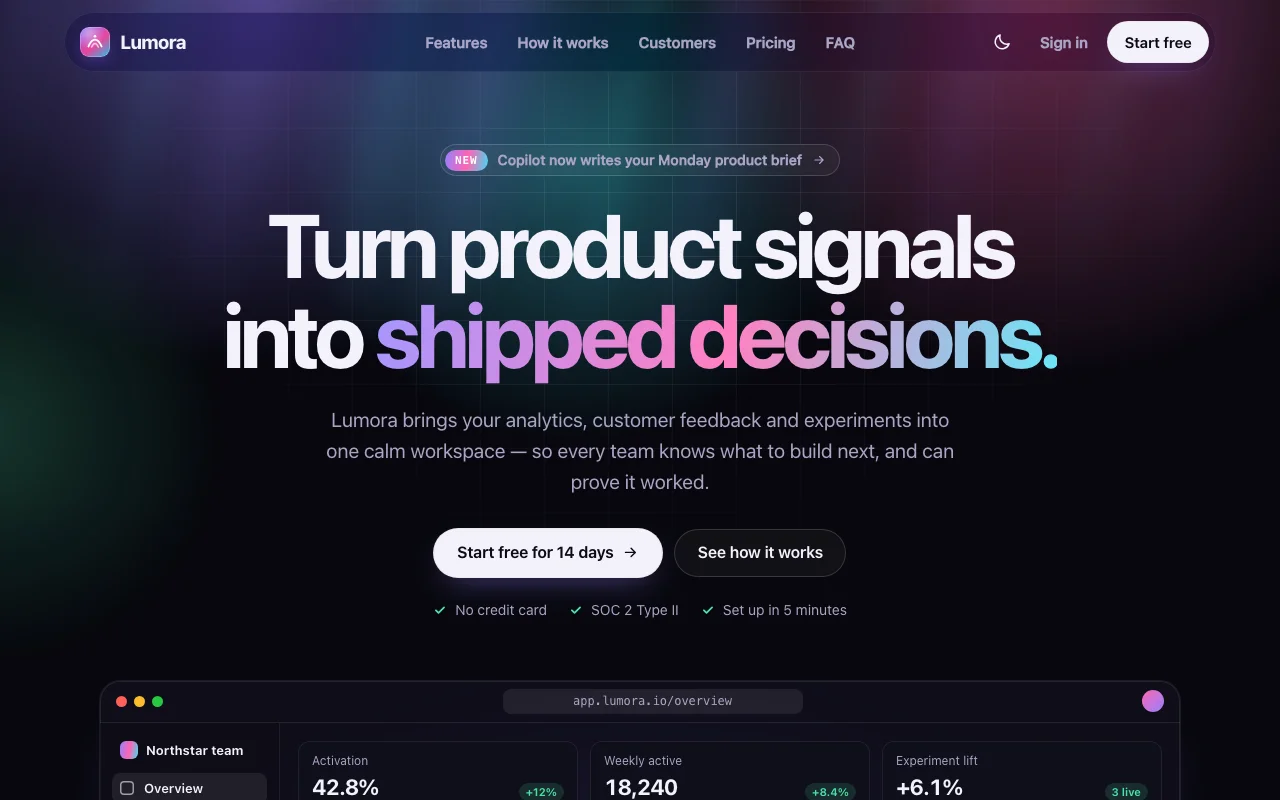
Lumora — SaaS Landing
A one-page SaaS landing with a living aurora and a product window that ships its own experiment
9.000đ
- TemplateLanding page
Lumora — SaaS Landing
A one-page SaaS landing with a living aurora and a product window that ships its own experiment
$4.90