PrismAnalytics Dashboard
A glassy, dark-first analytics dashboard with hand-built SVG charts, a live visitor counter and a real customers table
Not on sale yet
This one is almost ready to buy. Leave your email and we will tell you the moment it is.
- Pay once, lifetime license
- Free updates for life
- Full source: HTML / CSS / JS + React
Live preview
About
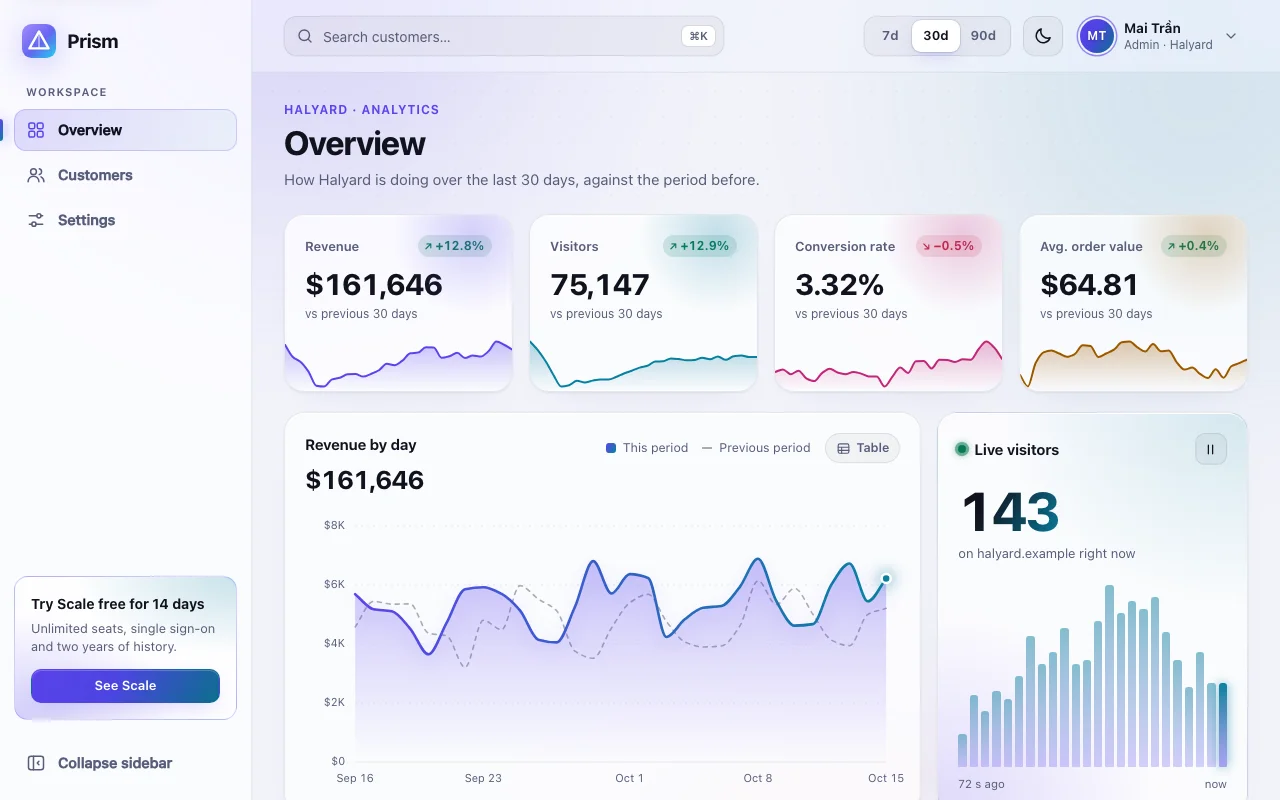
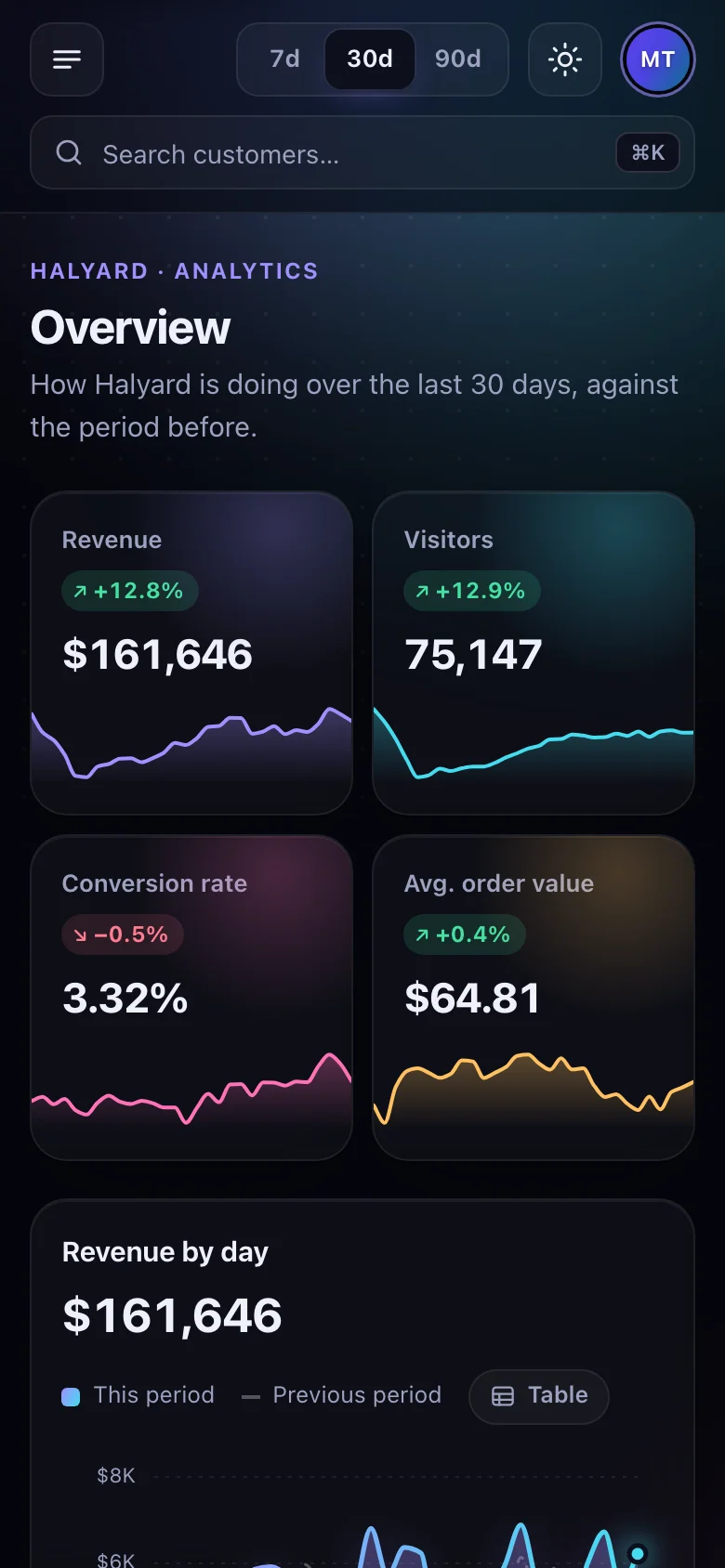
An analytics dashboard that looks like the product photo of a SaaS you would pay for. Prism is glass over a slow aurora, dark first and just as considered in light: numbers count up, the revenue line draws itself in, columns grow, the device ring sweeps round, and the live visitor count keeps ticking while new orders slide into the feed.
- Three complete views — Overview, Customers and Settings — in an app shell with a sidebar that folds to icons, a ⌘K search and a 7 / 30 / 90-day range
- Every chart hand-drawn in SVG by small, tested modules: no chart library to learn, theme or ship
- A customers table that actually works: search, filters, sorting, pages, selection, CSV export and archive with undo
- Demo data that is seeded and consistent — revenue is orders × order value, every KPI is the sum of its days — so the screenshots tell a believable story
- One typed
DashboardSourcewith four methods stands between the views and the numbers: point it at your API and the whole dashboard is yours
Two builds are included. The HTML version is one page you can open and edit in any text editor
and host anywhere. The React version is a complete Vite + TypeScript project: every word lives in
one content.ts file, and npm install && npm run dev starts it.
Features · 16
- Three views behind hash routing: Overview, Customers and Settings, in a shell with a collapsible sidebar, a top bar and an avatar menu
- Two builds: static HTML/CSS/JS you edit in place, and a ready-to-run Vite + React + TypeScript project
- Overview: four KPI cards that count up to their figure, with a sparkline and a change badge against the previous period
- Revenue area chart with the previous period dashed behind it, a crosshair and a glass tooltip; a bar chart by channel that grows from the baseline; a donut of devices with its legend
- Charts drawn in SVG by small, tested modules — linear and band scales, nice axis ticks, monotone curves, rounded bars, ring segments — with no chart library
- Live visitors that tick every few seconds over a strip of recent readings, and an activity feed where new orders, sign-ups and upgrades slide in
- Top pages with views, change and an inline bar for each page's share
- Customers table: search (accent-insensitive), status filter chips with counts, sortable columns, pages, row selection with a bulk bar — export as CSV or archive with undo — and an empty state
- Settings: a validated profile form, notification switches and a plan card with usage meters; the saved name shows in the account menu at once
- ⌘K / Ctrl+K focuses the search from anywhere; pressing Enter opens the customers table searched for the same words
- 7d / 30d / 90d range control that regenerates seeded, deterministic demo data: the same numbers on every load, and they add up
- All data comes through one typed interface with four methods: replace the demo source with calls to your API and every view follows
- Light and dark themes: follows the system, remembers the visitor's choice
- No images, no web fonts, no external requests; every colour, radius, size and timing is a CSS custom property
- Responsive from 320 px phones (with an off-canvas drawer) to wide desktops
- Script and stylesheet together weigh under 30 KB gzipped, with no runtime dependencies besides React in the React build
How to use it
Open index.html in a text editor: every word of the page is written there. It links two files
that sit next to it:
<link rel="stylesheet" href="analytics-dashboard.css" />
<script src="analytics-dashboard.js" defer></script>- Views: each
<section data-view-panel="name">is one view, shown at#/name; a sidebar link withdata-nav="name"is marked as current while it is up. Add a view by adding both. - KPIs: one
<article data-kpi="revenue">per figure (revenue,visitors,conversion,order); the script fills its value, change badge and sparkline. - Charts:
[data-chart="revenue" | "channels" | "devices"]cards. The title (data-chart-title) is also the chart's accessible name. - Words the script writes (statuses, table lines, the sentences charts are read with) are in
src/core/texts.ts; locale and currency insrc/core/format.ts.
The script wires everything by data attribute once the page has loaded. For markup you add later,
call AnalyticsDashboard.init(container, { source }); it returns a function that undoes it. The
readable source is in src/ (src/core/ holds one small module per behaviour and per chart).
The demo makes its numbers up (src/core/demo-source.ts). Everything the dashboard shows comes
through one interface, DashboardSource in src/core/data.ts, which also defines every shape:
| Method | Returns |
|---|---|
overview(range) |
Promise<Overview> — KPIs, revenue by day, channels, devices and top pages for the last 7, 30 or 90 days |
activity() |
Promise<Activity[]> — the latest events, newest first |
live() |
Promise<LiveReading> — visitors now, plus an event if one just happened; asked every 3 seconds |
customers() |
Promise<Customer[]> — everyone in the table |
In the HTML build, define the source before the script runs:
<script>
  window.analyticsDashboardSource = {
    overview: (range) => fetch(`/api/analytics/overview?days=${range}`).then((response) => response.json()),
    activity: () => fetch("/api/analytics/activity").then((response) => response.json()),
    live: () => fetch("/api/analytics/live").then((response) => response.json()),
    customers: () => fetch("/api/customers").then((response) => response.json()),
  };
</script>
<script src="analytics-dashboard.js" defer></script>
Answers that arrive late are handled: switching the range while one is on its way drops the old
answer. A live() answer may carry recent (the readings before it) so the strip starts full.
Saving Settings only updates the page; pass onSave to createSettingsForm to store the values.
The download is a complete Vite + React 19 + TypeScript project:
npm install
npm run dev      # http://localhost:5173
npm run build # static files in dist/src/app/content.ts— every word of the page, typed. Edit here and the dashboard follows.src/app/shell/— sidebar and top bar;src/app/views/— one component per view;src/app/ui/— the atoms and molecules they share.src/core/— the behaviour and the charts, the same code the HTML build runs, attached with theuseBehaviourhook.src/analytics-dashboard.css— the one stylesheet both builds use.
Show your own data by passing a source, created once:
const source: DashboardSource = { overview: …, activity: …, live: …, customers: … };

<App source={source} />
It works with React 18 and 19.
App.tsx starts with "use client", so the App Router can render it as is. Copy src/app,
src/core and src/analytics-dashboard.css into your project (for example under
components/prism/, keeping the three side by side), then:
// app/dashboard/page.tsx
import { App } from "@/components/prism/app/App";

export default function Page() {
  return <App />;
}
Define your source in a client module (outside the component, so it is created once) and pass it
as source. To apply a saved theme before the first paint, copy the small inline script from
index.html into the layout's <head> and add suppressHydrationWarning to <html>.
Everything is a custom property on :root, at the top of analytics-dashboard.css. Colours are
written as light-dark(light, dark), so one line covers both themes.
| Property | What it changes |
|---|---|
--ad-bg, --ad-surface, --ad-sunken, --ad-text, --ad-muted |
Page, solid surfaces, wells and text |
--ad-glass, --ad-glass-strong, --ad-glass-edge, --ad-line, --ad-line-strong, --ad-shadow |
Frosted cards, menus, hairlines and shadows |
--ad-violet, --ad-cyan, --ad-pink, --ad-amber, --ad-green, --ad-red |
Accents: charts, statuses, ups and downs |
--ad-gradient, --ad-cta, --ad-on-cta, --ad-glow, --ad-focus |
Brand gradient, main button, its text and glow, focus ring |
--ad-aurora-strength |
How strongly the aurora behind the app shows (set per theme) |
--ad-series, --ad-series-end, --ad-previous, --ad-slice-1 … --ad-slice-3 |
Chart colours (each KPI card sets its own series) |
--ad-area-height, --ad-bars-height, --ad-donut-size |
Chart sizes |
--ad-font, --ad-font-mono |
Type |
--ad-radius-lg, --ad-radius, --ad-radius-sm, --ad-sidebar-width, --ad-sidebar-collapsed, --ad-gutter, --ad-max |
Shape and layout |
--ad-ease, --ad-draw-duration, --ad-grow-duration, --ad-aurora-duration |
Motion |
Theme: data-theme="light" or "dark" on <html> fixes the starting theme; without it the
visitor's system decides. The toggle remembers a visitor's choice in localStorage
(analytics-dashboard-theme), the sidebar its folded state (analytics-dashboard-sidebar).
Both builds are static files: upload the HTML folder, or the React project's dist/ after
npm run build, to Netlify, Vercel, Cloudflare Pages, GitHub Pages or any web host.
Ask about this product
Not sure it fits your project? Ask — the answer comes from this page.
Changelog
1.0.0First releaseLatest
Glass analytics dashboard in two builds: static HTML/CSS/JS and a Vite + React + TypeScript project. Overview with count-up KPIs, hand-built SVG area, bar and donut charts, live visitors and activity feed; a customers table with search, sorting, filters, pages and bulk actions; a validated settings form; collapsible sidebar, ⌘K search, 7/30/90-day ranges over seeded data, light and dark themes.
- Fixes and new features land behind the same download, which always serves the latest version.