Elastic Slider
A range slider that stretches past its ends, swings its value bubble and springs back like rubber
.zip · HTML / CSS / JS · v1.0.0
Free — no account, no email. Always the newest version.
Live preview
About
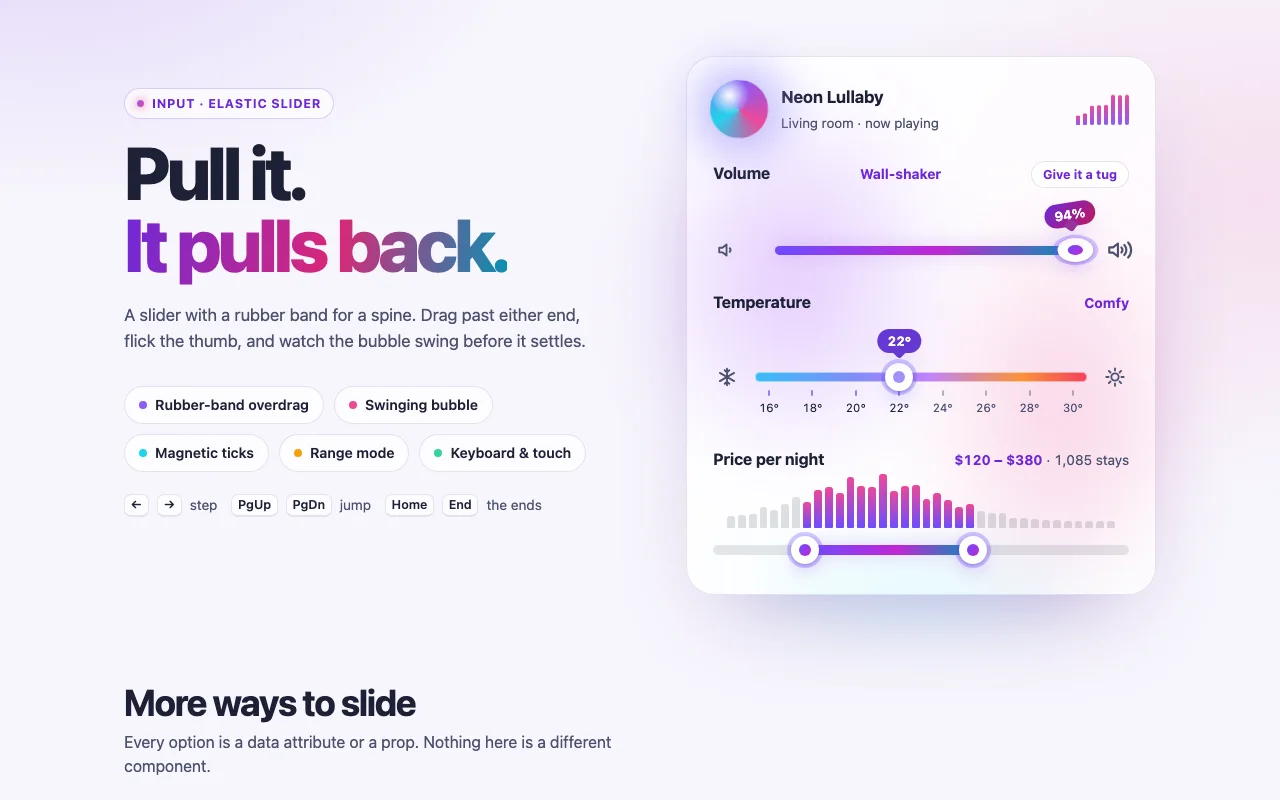
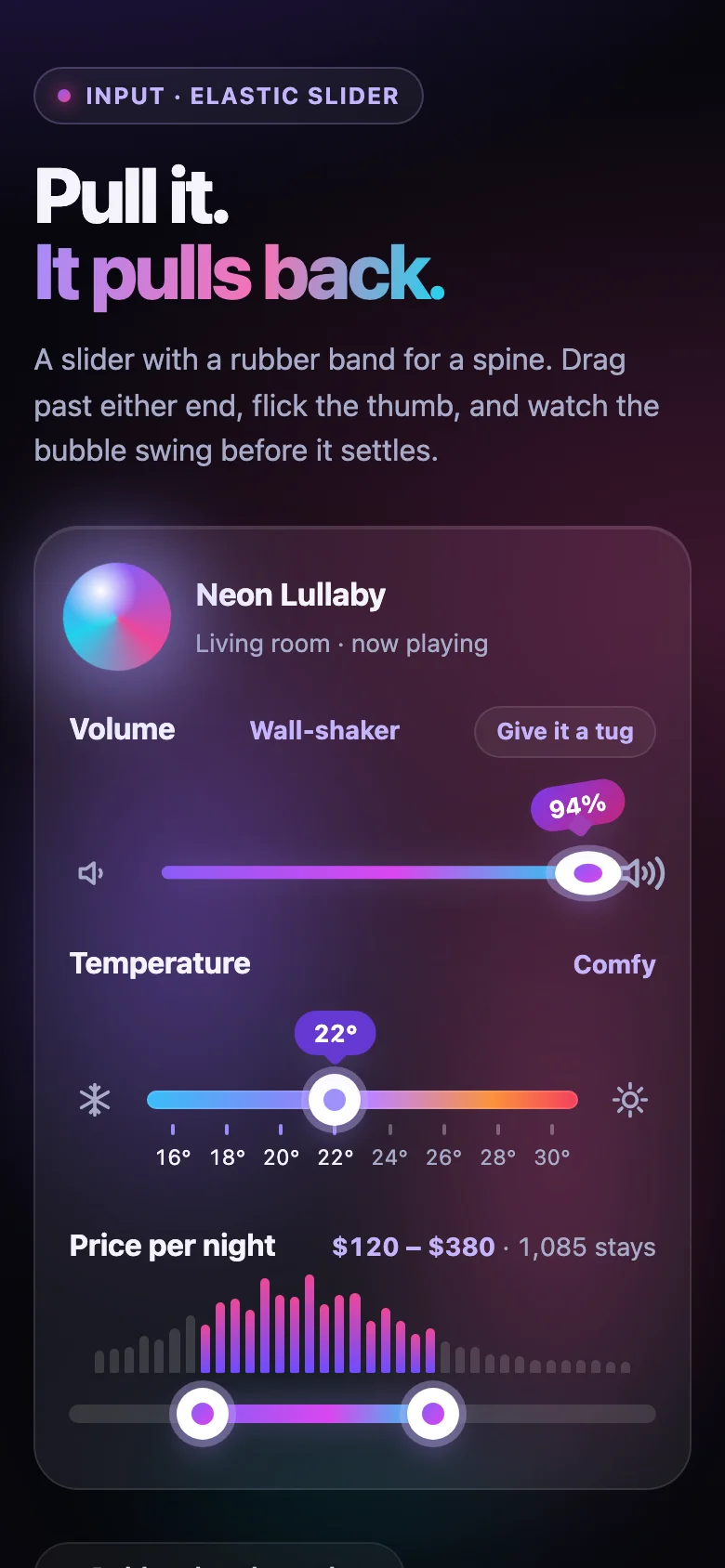
The slider you want to play with. Grab the thumb and a bubble with the value rides above it, swinging like a pendulum as you move. Keep pulling past the end of the track and the rail stretches and thins, the thumb squashes out sideways, and the harder you pull the harder it resists. Let go and everything springs back with a little wobble. Release a thumb on a tick and it settles into it as if by magnet.
- Made for settings and filters: volume, brightness, price, distance, zoom, temperature
- One thumb, or two for a range that cannot cross itself
- Ticks, labels and a magnetic snap when you want round numbers; plain steps when you do not
- Icons at the ends that react to the pull, and a bubble you can show always, on hold, or never
- Every colour, size and the bubble's room is a CSS custom property; light and dark follow your page
- Nothing to install: one CSS file and one small script, or one React component
Features · 9
- Pull past either end and the thumb and rail stretch against a rubber band, harder the further you go, then recoil with a wobble
- A value bubble hangs from the thumb and swings with its speed, settling on a spring
- One thumb or two for a range, with a minimum gap between them
- Optional ticks and labels, with a soft magnetic snap that holds the thumb on each tick
- Prefix, suffix, decimals and grouping, or a format function of your own
- Icons at both ends that lean into the pull, such as a speaker that mutes when you pull past zero
- input and change events, and hidden fields that carry the value into a form
- Plain HTML/CSS/JS and React (Next.js ready, controlled or not)
- Zero dependencies, about 9 KB gzipped (script and styles together)
How to use it
Link the stylesheet and the script once, then mark any empty element with data-elastic-slider.
The slider builds its track, thumbs and bubbles inside it. Give it a name with aria-label or
aria-labelledby:
<link rel="stylesheet" href="elastic-slider.css" />
<script src="elastic-slider.js" defer></script>

<div class="elastic-slider" data-elastic-slider data-elastic-slider-value="40" data-elastic-slider-suffix="%" aria-label="Volume"></div>

<!-- Two numbers make a range -->
<div class="elastic-slider" data-elastic-slider data-elastic-slider-max="600" data-elastic-slider-step="10"
     data-elastic-slider-value="120 380" data-elastic-slider-prefix="$" aria-label="Price"></div>

<!-- Icons at the ends: any element with data-elastic-icon="start" or "end" -->
<div class="elastic-slider" data-elastic-slider aria-label="Volume">
  <span class="elastic-slider__icon" data-elastic-icon="start"><svg viewBox="0 0 24 24">…</svg></span>
  <span class="elastic-slider__icon" data-elastic-icon="end"><svg viewBox="0 0 24 24">…</svg></span>
</div>
Options as data attributes, all starting with data-elastic-slider-:
| Attribute | Default | What it does |
|---|---|---|
min, max, step |
0, 100, 1 |
The scale. The max is the last value the step reaches (0–10 in steps of 3 ends at 9) |
value |
midway | The value, or two numbers ("20 80") for a range |
range |
off | Two thumbs even when value is one number |
min-gap |
0 |
The least two thumbs may be apart, in value units |
ticks |
0 |
Tick marks: this many equal parts of the track |
tick-labels |
off | The value under every tick |
snap |
off | The soft magnetic snap onto the ticks |
snap-radius |
0.04 |
How far a tick reaches, as a share of the track |
overdrag |
56 |
The furthest the thumb stretches past an end, in px; 0 for a plain slider |
bubble |
active |
active (while held or focused), always or off |
prefix, suffix |
none | Written around the number: $ and % |
decimals |
from the step | Digits after the point |
grouping, locale |
on, en-US |
1,200 or 1200; the digits and separators of a locale |
name |
none | Names the hidden field(s) that carry the value into a <form>; a range posts two, lowest first |
disabled |
off | Greyed out, out of the tab order |
minimum, maximum |
Minimum, Maximum | The names of a range's thumbs, for screen readers |
The slider dispatches input (every time the value changes, while dragging too) and change (when
it settles: a drag ends, a key is pressed) on its element. Both bubble and carry
event.detail = { value, values, index }:
document.querySelector("#volume").addEventListener("input", (event) => {
  const { value } = event.detail; // the thumb that moved
});
ElasticSlider.get(element) returns the handle of a wired slider:
{ value(), values(), setValue(value), update(options), tug(edge), destroy() }. setValue glides the
thumb there without firing events (like setting an <input>'s value); tug("start" | "end") yanks the
thumb at that end of the track so it stretches and wobbles back — a hint that the slider is elastic.
Sliders added after the page loads: ElasticSlider.init(container) returns a function that undoes it.
To pass callbacks, a format function or translated texts, build one by hand:
ElasticSlider.create(element, { min, max, value, format: (n) => ${n} km, onInput, onChange, texts }).
Copy ElasticSlider.tsx, elastic-slider.css and the core folder into your project:
import { useState } from "react";
import { ElasticSlider } from "./ElasticSlider";

export function Filters() {
  const [volume, setVolume] = useState(72);
  const [price, setPrice] = useState([120, 380]);
  return (
    <>
      <ElasticSlider
        aria-label="Volume"
        value={volume}
        onInput={({ value }) => setVolume(value)}
        suffix="%"
        bubble="always"
        startIcon={<QuietIcon />}
        endIcon={<LoudIcon />}
      />
      <ElasticSlider aria-label="Price" min={0} max={600} step={10} value={price} onChange={({ values }) => setPrice(values)} prefix="$" />
    </>
  );
}
Controlled with value (a number, or two for a range) and onInput / onChange, or uncontrolled with
defaultValue. Every option above is a prop (min, max, step, range, minGap, ticks,
tickLabels, snap, snapRadius, overdrag, bubble, prefix, suffix, decimals, grouping,
locale, format, name, disabled, texts), plus startIcon and endIcon, and any <div> prop
(className, aria-*…). The ref gives { value(), values(), setValue(value), tug(edge) }. React 18 or 19.
The component starts with "use client", so use it from any page or server component. With the
App Router nothing else is needed. With the Pages Router, move the CSS import into pages/_app.
Set these on .elastic-slider (or a class of your own):
| Property | What it changes |
|---|---|
--elastic-track-height, --elastic-thumb-size, --elastic-gap |
Rail thickness, thumb size, space between icons and track |
--elastic-bubble-room |
The height kept free above the track for the bubble |
--elastic-from-color, --elastic-via-color, --elastic-to-color |
The default gradient of the fill and the thumb's dot |
--elastic-rail, --elastic-fill |
The whole rail and the filled part: any background, a gradient too |
--elastic-thumb, --elastic-thumb-ring, --elastic-glow |
The thumb, its halo, and the glow under thumb, fill and bubble |
--elastic-bubble-from, --elastic-bubble-to, --elastic-bubble-text |
The bubble |
--elastic-tick, --elastic-tick-lit, --elastic-label, --elastic-label-lit |
Ticks and their labels, outside and inside the selection |
--elastic-icon, --elastic-ring, --elastic-pop |
End icons, focus ring, the bubble's pop-in easing |
While it moves, the script writes --elastic-progress (0 to 1, where the thumb is),
--elastic-pull-start-amount and --elastic-pull-end-amount (0 to 1, how hard each end is pulled)
on the slider: use them in your own CSS to make icons or anything else react. The slider also gets
data-dragging while held and data-pulling="start | end" while stretched. Colours use light-dark():
they follow color-scheme on your page. With prefers-reduced-motion there is no stretch, swing or
glide; the thumb simply moves.
Ask about this product
Not sure it fits your project? Ask — the answer comes from this page.
Changelog
1.0.0First releaseLatest
Plain HTML/CSS/JS and React builds. Rubber-band overdrag, swinging value bubble, single and range modes, ticks with a magnetic snap, end icons, form fields, keyboard and reduced-motion support.
- Fixes and new features land behind the same download, which always serves the latest version.