Dynamic Island
Notifications that spring out of one black pill and melt back into it
.zip · HTML / CSS / JS · v1.0.0
Free — no account, no email. Always the newest version.
Live preview
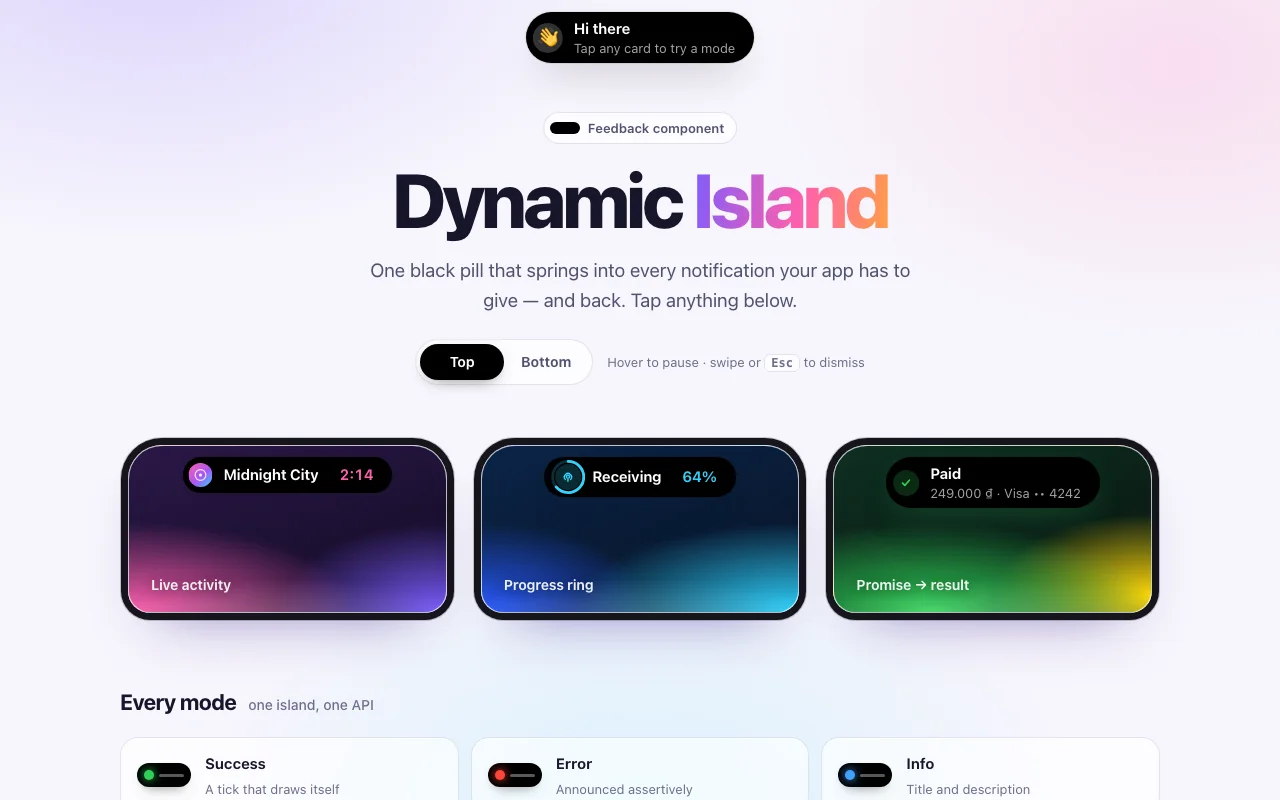
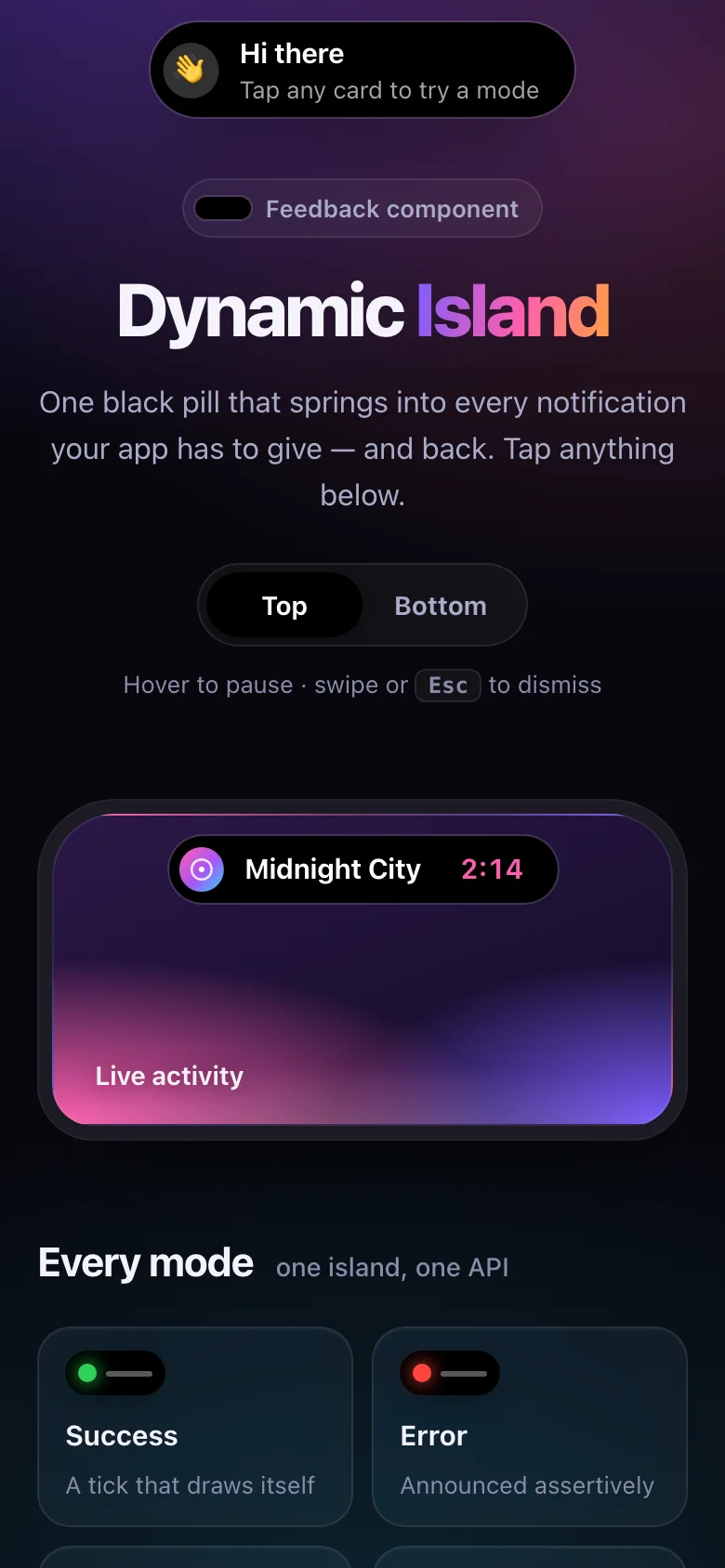
About
Your app's notifications, told by one small black pill. It sits at the top of the screen and, when there is something to say, springs open into exactly the size of the message — then melts back. A save becomes a tick that draws itself; a payment starts as a spinner and morphs into the receipt; an upload fills a bar in place; a timer ticks quietly in the compact island and opens into its controls when you hover or tap it.
- Toast, loading → result, progress, buttons and live activities, all from one
show()call - The morph runs on a real spring, solved once and handed to CSS as a
linear()easing — smooth at any frame rate, with nothing running in JavaScript while it moves - A queue that behaves: one island, toasts take turns, a live activity steps aside for a notification and comes back after it
- Every colour, size and the spring itself are CSS custom properties; light and dark follow your page
- Nothing to install: one CSS file and one small script, or one React component
Features · 11
- One island that morphs — width, height, corners and content — on a real spring
- Toasts in four tones, each with an icon that draws or pops in
- promise(): a spinner that morphs into the result, success or error
- Progress as a ring around the icon or a bar, driven by the handle show() returns
- Buttons on the island, such as Undo, with a callback each
- Live activities (a timer, the song playing) that expand on hover, focus or tap
- A queue: toasts take turns, live activities step aside and come back
- Pauses while hovered, focused or in a background tab; swipe or Esc to dismiss
- Top or bottom of the screen; no-code data-island buttons
- Plain HTML/CSS/JS and React (Next.js ready) builds
- Zero dependencies, under 10 KB gzipped (script and styles together)
How to use it
Link the stylesheet and the script once. The island builds itself the first time it has something to say:
<link rel="stylesheet" href="dynamic-island.css" />
<script src="dynamic-island.js" defer></script>

<script>
  document.addEventListener("DOMContentLoaded", () => {
    DynamicIsland.show({ title: "Saved", description: "All changes are in", tone: "success" });
  });
</script>
No code at all: any element with data-island shows its message when clicked.
<button type="button" data-island data-island-title="Link copied" data-island-tone="success"
        data-island-action="Undo" data-island-action-title="Copy undone">
  Copy link
</button>
Attributes: data-island-title (the element's text when missing), -description, -tone,
-icon (text, such as an emoji), -trailing, -duration (ms, 0 stays until dismissed),
-id, -action (a button's label) and -action-title (shown once it is pressed). Triggers
added later work too; DynamicIsland.init(container) listens inside another root.
Every mode
// A toast: neutral, success, error, info or warning
DynamicIsland.show({ title: "Card declined", description: "Try another card", tone: "error" });

// Loading → result
DynamicIsland.promise(pay(), {
  loading: "Paying…",
  success: (receipt) => ({ title: "Paid", description: receipt.total }),
  error: (error) => ({ title: "Payment failed", description: error.message }),
});

// Progress: a ring around the icon, or a bar
const upload = DynamicIsland.show({ title: "Uploading", progress: 0, progressStyle: "bar", trailing: "0%" });
upload.update({ progress: 0.6, trailing: "60%" });
upload.update({ title: "Uploaded", tone: "success", progress: null, trailing: undefined });

// Buttons
DynamicIsland.show({
  title: "Message deleted",
  actions: [{ label: "Undo", variant: "primary", onClick: () => restore() }],
});

// A live activity: compact until hovered, focused or tapped
const timer = DynamicIsland.show({
  title: "Timer", trailing: "4:59", description: "Pasta", expandable: true, accent: "#ff9f0a",
  actions: [{ label: "Pause", dismiss: false, onClick: (handle) => handle.update({ description: "Paused" }) }],
});
show() returns { id, update(changes), dismiss() }. Also: DynamicIsland.update(id, changes),
dismiss(id?) (the one on screen without an id), clear() and configure(options).
Messages
| Field | Default | What it does |
|---|---|---|
title |
— | The headline (required) |
description |
— | A second line; in a live activity, shown when expanded |
tone |
"neutral" |
success, error, info, warning: icon and colour |
icon |
the tone's | Text (an emoji) or a DOM node, cloned; any React node in React |
loading |
false |
A spinner instead of the icon |
progress |
null |
0 to 1; progressStyle: "ring" (default) or "bar" |
trailing |
— | Short text at the far end: "4:59", "42%" |
actions |
— | { label, onClick(handle), variant: "primary", dismiss: false } |
expandable |
false |
A live activity: compact until hovered, focused or tapped |
accent |
the tone's | A colour for the icon, progress and primary button |
duration |
4 s, 6 s for errors and buttons | ms; Infinity or 0 stays. Loading, progress and live activities stay by default |
dismissible |
true |
Whether swipe and Esc dismiss it |
id |
generated | Showing the same id again updates that message |
onDismiss(reason) |
— | "timeout", "swipe", "escape", "action" or "api" |
There is one island, so messages take turns: toasts show one after another and are never cut short; a message that stays (a live activity, an upload) steps aside for a toast and comes back after it. The countdown pauses while the island is hovered or focused and while the tab is in the background. Swipe it toward its edge, or press Esc while it is hovered or focused, to dismiss.
Options
DynamicIsland.configure({ … }), at any time:
| Option | Default | What it does |
|---|---|---|
position |
"top" |
"top" or "bottom" of the screen |
label |
"Notifications" |
The landmark's accessible name |
container |
document.body |
Where the island is added; inside any other element (give it position: relative) it sits in that element, like a phone mockup |
spring |
the stylesheet's | { stiffness, damping, mass } for the morph, turned into a linear() easing |
Copy DynamicIsland.tsx, dynamic-island.css and the core folder into your project. Mount the
island once, then show messages from anywhere:
import { DynamicIsland, island, useIsland } from "./DynamicIsland";

export default function Layout({ children }) {
  return (
    <>
      {children}
      <DynamicIsland position="top" />
    </>
  );
}

function SaveButton() {
  const { show, promise } = useIsland();
  return <button onClick={() => promise(save(), { loading: "Saving…", success: "Saved", error: "Not saved" })}>Save</button>;
}

// Outside components too: a store, an API client…
island.show({ title: "Now playing", icon: <AlbumArt />, expandable: true, trailing: "2:14" });
<DynamicIsland /> takes position, label and spring, and is where React icons are rendered
(text icons work without it). Same messages as above; icon is any React node. React 18 or 19.
The component starts with "use client": put <DynamicIsland /> in app/layout.tsx and call
island.show() from any client component. With the Pages Router, put it in pages/_app and move
the CSS import there.
Set these on .dynamic-island (or on a class of your own that the island sits in):
| Property | What it changes |
|---|---|
--island-surface, --island-text, --island-muted |
The pill and its text |
--island-chip, --island-focus |
Button and track backgrounds, the focus ring |
--island-edge, --island-shadow |
The hairline and the shadow around the pill |
--island-neutral, --island-success, --island-error, --island-info, --island-warning |
The tones |
--island-rest-width, --island-rest-height |
The size it shrinks back to |
--island-max-width, --island-radius, --island-icon-size |
Shape and size of a message |
--island-offset, --island-z-index |
Distance from the edge, stacking |
--island-spring, --island-spring-duration |
The morph (any easing works) |
--island-fade |
Fades: appearing, hiding, reduced motion |
Colours use light-dark() where they differ: they follow color-scheme on your page.
Ask about this product
Not sure it fits your project? Ask — the answer comes from this page.
Changelog
1.0.0First releaseLatest
Plain HTML/CSS/JS and React builds of a spring-morphing island: toasts, promise and progress states, actions, expandable live activities, a smart queue, swipe and Esc to dismiss, and full screen-reader and reduced-motion support.
- Fixes and new features land behind the same download, which always serves the latest version.