Binary Search Animation
A step-by-step binary search with gliding lo / mid / hi pointers, ready for your lessons, slides and posts
.zip · HTML / CSS / JS · v1.0.0
Free — no account, no email. Always the newest version.
Live preview
About
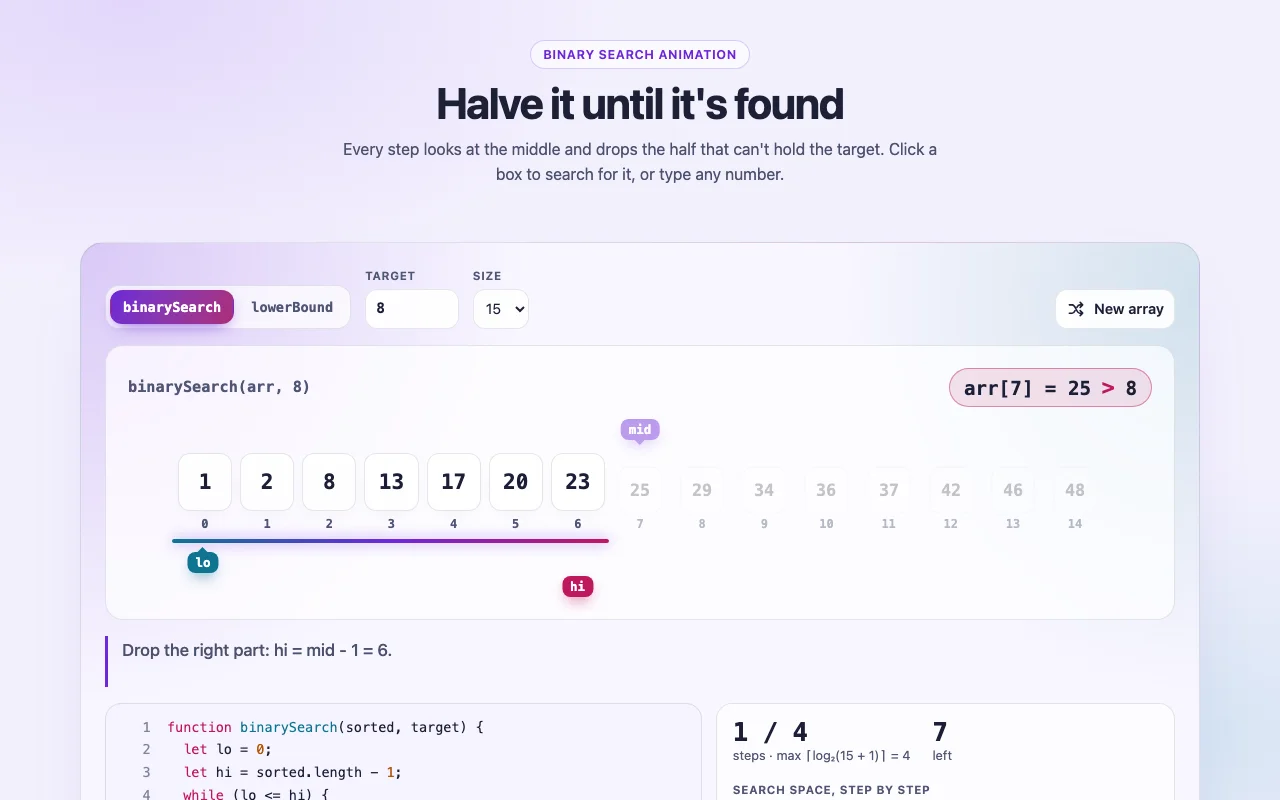
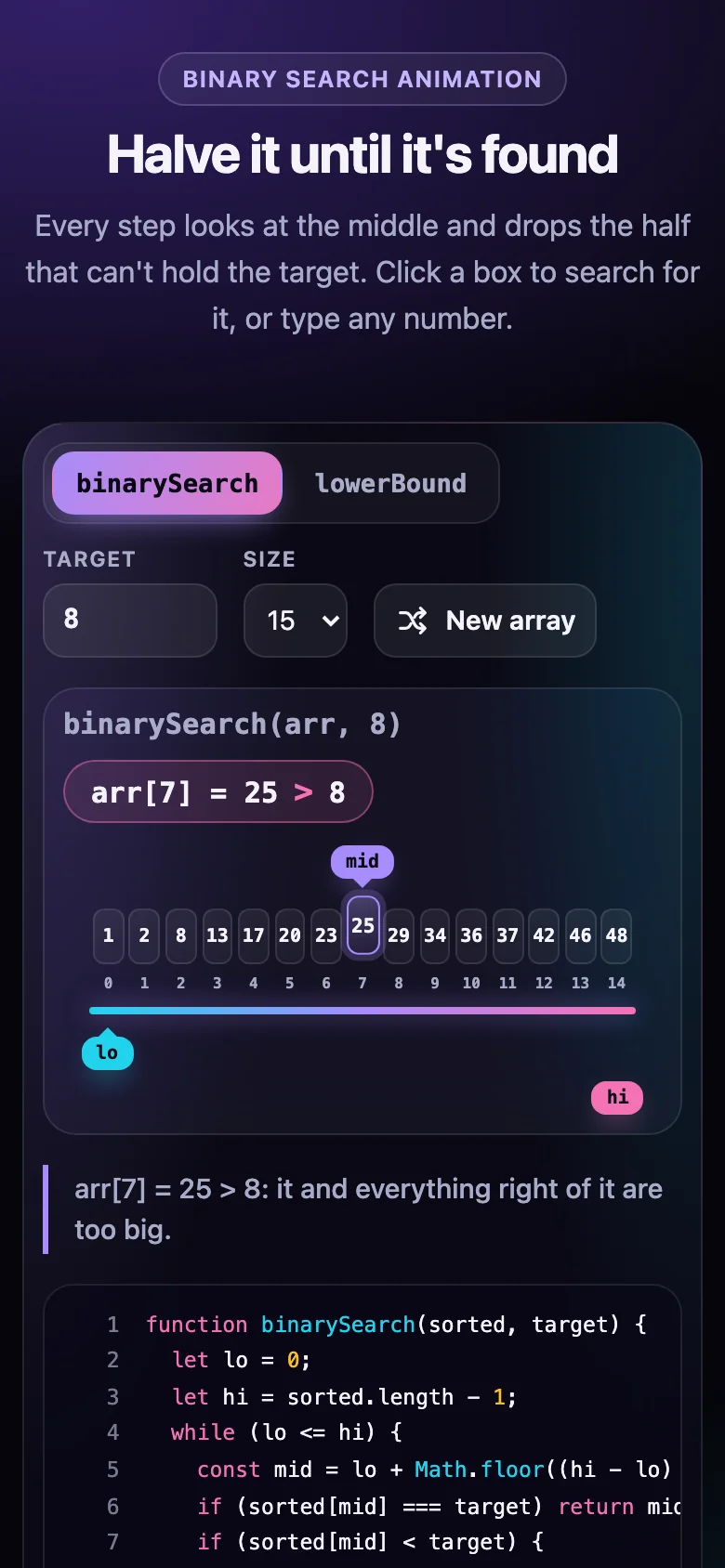
Binary search is easiest to understand when you watch it throw half the array away. This
animation runs the real binarySearch and lowerBound from the free algorithm page, step by
step: lo, mid and hi glide over a row of sorted boxes, every arr[mid] vs target is spelled
out, the half that can't hold the answer dims and sinks, and the line of code that is running
lights up beside it. When the target is there, its box glows and bursts into sparks. When it
isn't, a glowing seam shows exactly where it would be inserted.
- Two functions, one switch: the closed range
[lo, hi]ofbinarySearchand the half-open[lo, hi)oflowerBound - A step counter against the ⌈log₂(n + 1)⌉ worst case, and a meter that shows 15 → 7 → 3 → 1
- Click a box or type any number to search for it; seeded random arrays, or your own values with duplicates
- A full player with a scrubber and 0.5×–4× speed, built to look good on a slide or in a recording
- Every colour, radius, font and timing is a CSS custom property; light and dark follow your page
- Nothing to install: one CSS file and one script, or one React component
Features · 9
- Animates binarySearch and lowerBound exactly as the free algorithm page writes them, with a switch between the two
- lo, mid and hi glide over the boxes; the half that can't hold the target dims and sinks away
- Every comparison spelled out (arr[mid] vs target), with a caption in plain words and the running line lit in the code
- Found: the box glows and bursts into sparks. Not found: a glowing seam shows where the value would be inserted
- Step counter against the ⌈log₂(n + 1)⌉ worst case, and a meter of the search space halving
- Player: play, pause, step back and forward, reset, scrub, 0.5×–4× speed, optional loop
- Pick the target by clicking a box or typing any number; change the size, roll a new seeded array or bring your own values
- Plain HTML/CSS/JS and React (Next.js ready) builds, light and dark
- Zero dependencies, about 13 KB gzipped (script and CSS together)
How to use it
Link the stylesheet and the script once, then add an empty element with
data-binary-search-animation wherever you want a player:
<link rel="stylesheet" href="binary-search-animation.css" />
<script src="binary-search-animation.js" defer></script>

<div class="binary-search-animation" data-binary-search-animation></div>

<div
  class="binary-search-animation"
  data-binary-search-animation
  data-binary-search-animation-mode="lower-bound"
  data-binary-search-animation-values="2 2 2 3 3 5 5"
  data-binary-search-animation-target="3"
></div>
Options as data attributes, all starting with data-binary-search-animation-:
| Attribute | Default | What it does |
|---|---|---|
-mode |
binary-search |
binary-search or lower-bound |
-values |
random | Your own numbers, separated by spaces or commas (sorted for you) |
-target |
picked from the array | The value to search for |
-size |
15 |
How many values a random array has (1–40) |
-seed |
7 |
Which random array: the same seed always gives the same one |
-speed |
1 |
0.25 to 4 |
-autoplay |
true |
Plays on its own once loaded (never with reduced motion) |
-loop |
false |
Starts again after a pause on the result |
-code |
true |
false hides the code panel |
-inputs |
true |
false hides the row of inputs (function, target, size, new array) |
Elements added after the page loads: BinarySearchAnimation.init(container); it returns a
function that undoes it. For full control, BinarySearchAnimation.createBinarySearchAnimation(element, options)
returns a handle with setTarget, setMode, setValues, shuffle, player (play, pause,
seek…) and destroy.
Copy BinarySearchAnimation.tsx, binary-search-animation.css and the core folder into your
project:
import { BinarySearchAnimation } from "./BinarySearchAnimation";

<BinarySearchAnimation />
<BinarySearchAnimation mode="lower-bound" values={[2, 2, 2, 3, 3, 5, 5]} target={3} autoplay={false} />
<BinarySearchAnimation seed={42} size={31} loop inputs={false} onFrame={(frame) => console.log(frame.caption)} />
The props are the options above, camel-cased (mode, values, target, size, seed, speed,
autoplay, loop, code, inputs), plus onFrame(frame, index), called with every frame drawn.
Changing a prop starts the search again. Every other prop goes to the root <div> (className,
id, aria-*…). React 18 or 19.
The file starts with "use client", so use it from any page or server component. With the App
Router nothing else is needed. With the Pages Router, move the CSS import into pages/_app.
Set these on .binary-search-animation (or a class of your own):
| Property | What it changes |
|---|---|
--bsearch-lo, --bsearch-mid, --bsearch-hi |
The three pointers (cyan, violet, pink), and the search-space bar between them |
--bsearch-found, --bsearch-insert |
The match's glow, and the seam where a missing value would go |
--bsearch-bg, --bsearch-surface, --bsearch-surface-strong, --bsearch-blur |
The background and the frosted glass |
--bsearch-edge, --bsearch-shadow, --bsearch-code-bg |
Borders, shadows, the code panel |
--bsearch-text, --bsearch-muted, --bsearch-on-accent, --bsearch-ring |
Text, secondary text, text on the coloured pointers and buttons, focus ring |
--bsearch-font, --bsearch-mono |
The fonts for words and for code and numbers |
--bsearch-radius, --bsearch-box-radius |
Corners of the player and of the boxes |
--bsearch-duration, --bsearch-ease |
How fast and how softly pointers glide and halves dim |
Colours use light-dark(): they follow color-scheme on your page. With
prefers-reduced-motion, nothing plays on its own and frames change instantly; every control
still works.
Ask about this product
Not sure it fits your project? Ask — the answer comes from this page.
Changelog
1.0.0First releaseLatest
Plain HTML/CSS/JS and React builds of a step-by-step binarySearch and lowerBound animation with gliding lo / mid / hi pointers, live code, a step counter, player controls, light and dark.
- Fixes and new features land behind the same download, which always serves the latest version.